Accepting card payments is no longer a nice extra for local businesses. For many customers, it is the default way they prefer to pay, whether they are shopping in a neighborhood store, booking a service, ordering online, or paying an invoice from their phone.
That shift has made it increasingly important for owners to understand how Erie businesses can accept credit card payments in a way that fits their operations, keeps costs under control, and creates a better customer experience.
For businesses in Erie, the right payment setup can do more than process transactions. It can help speed up checkout, improve cash flow, reduce manual work, and support growth across in-person, mobile, and online channels.
A retailer may need a full point-of-sale system with barcode scanning and inventory tools. A contractor may need a mobile card reader and invoice options. A medical office may need recurring billing and secure payment tools. The best solution depends on how the business actually runs day to day.
This guide explains how Erie businesses can accept credit card payments from the ground up. You will learn how credit card processing works, what tools are involved, which payment options make sense for different types of local businesses, what fees to watch for, and how to choose a setup that supports both customer convenience and long-term efficiency.
Whether you are launching a new company or improving an existing system, the goal is simple: help you build a payment process that works in the real world.
Why Accepting Credit Card Payments Matters for Erie Businesses
Customers expect flexible payment options. In many cases, they decide where to shop, eat, book, or return based partly on how easy it is to pay. A business that only accepts cash or checks can create friction before the sale is even complete. That can lead to abandoned purchases, delayed payments, and a poorer overall customer experience.
For local companies, accepting cards can also make the business feel more established and convenient. It supports faster transactions, reduces the need to handle large amounts of cash, and makes it easier to track sales across different channels.
This matters for retail stores, service businesses, healthcare practices, professional offices, restaurants, and online sellers alike. When people can tap, swipe, insert, or pay through an invoice link, the process feels easier for them and more efficient for your team.
Another reason card acceptance matters is flexibility. Many businesses in Erie serve customers in more than one way. A store may sell in person and online. A home service company may collect deposits remotely and final payments on-site.
A consultant may bill by invoice, while a restaurant may handle dine-in, phone, and online orders. The payment system needs to support those workflows without forcing the business into a patchwork of separate tools.
There is also a cash flow advantage when payments are collected electronically. Instead of waiting for mailed checks or chasing down balances, businesses can often bill faster and receive deposits more predictably. Reporting is usually easier as well, which helps with bookkeeping, tax prep, sales tracking, and operational decision-making.
How Credit Card Processing Works for Local Businesses
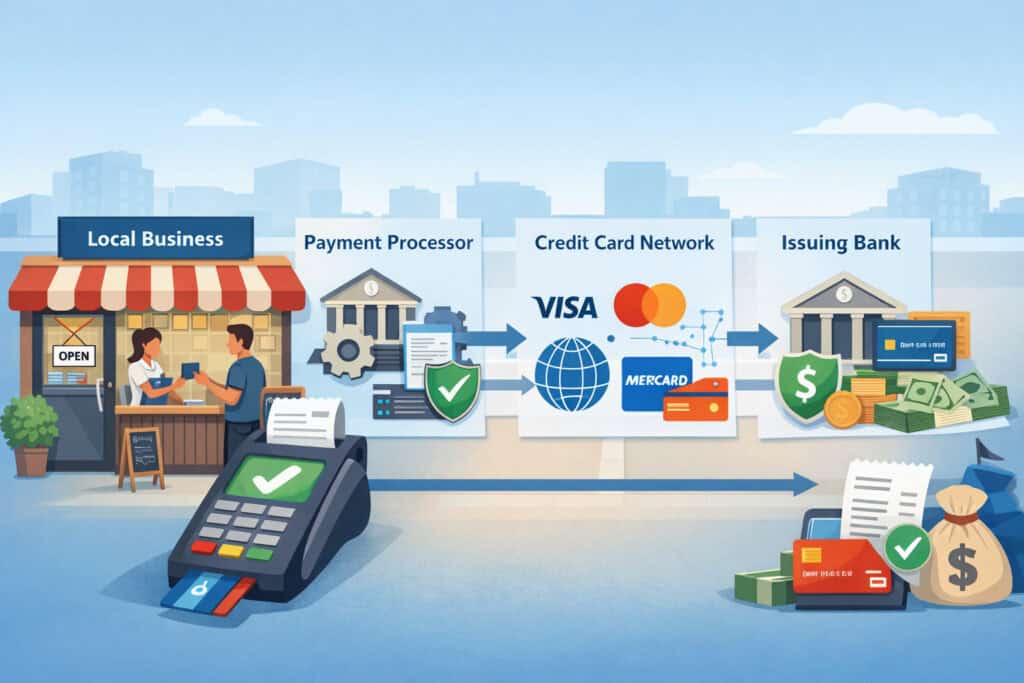
At first glance, card processing can seem complicated because there are several moving parts. In practice, the process becomes much easier to understand when you break it down into a few core roles: the business, the customer, the payment processor, the merchant account provider, the card networks, and the customer’s issuing bank.
When a customer pays with a card, the transaction information is captured through a device or software tool. That might be a countertop terminal, a POS system, a mobile card reader, a virtual terminal, an online checkout page, or an invoice payment link. The payment information is then securely sent through the processor for authorization.
The card network routes the request to the customer’s bank, which either approves or declines the transaction. If approved, the sale is completed, and the funds are later deposited into the business’s bank account, usually after processing fees are deducted.
The Role of a Merchant Account, Processor, and Gateway
One area that confuses many owners is the difference between a merchant account, processor, and gateway. They work together, but they are not exactly the same thing. A merchant account is the account type that allows a business to accept card payments.
A processor handles the movement of transaction data between the various parties involved. A payment gateway is the technology that securely transmits card data for online or virtual transactions.
Some providers bundle all of this into one platform. Others separate the pieces, which can give more flexibility but may add complexity.
For example, a local retailer may use an all-in-one POS and payment platform, while an established eCommerce seller may use a gateway that connects to a specific shopping cart and merchant services provider. Either structure can work well if it fits the business model.
For many owners searching for credit card processing for Erie businesses, the key is not memorizing industry jargon. It is understanding what functions must be covered and whether the provider makes those functions easy to manage.
What Settlement and Funding Mean for Daily Operations
Authorization happens in seconds, but the money does not usually land in the business bank account instantly. After approved transactions are collected, they go through settlement. This is the process of finalizing the transactions and moving funds for deposit.
Funding time varies by provider and account setup, but many businesses receive deposits in one to three business days, while some providers offer faster options.
This timing matters more than many owners expect. A restaurant with daily sales volume, a contractor collecting deposits, or a healthcare office managing patient balances may care a lot about how fast funds become available. Delayed deposits can affect payroll planning, purchasing, and regular cash flow management.
Settlement also affects reporting. Businesses should be able to see batch totals, fees, chargebacks, refunds, and net deposits clearly. When those details are difficult to understand, reconciling payments becomes harder than it should be.
Ways Erie Businesses Can Accept Credit Card Payments
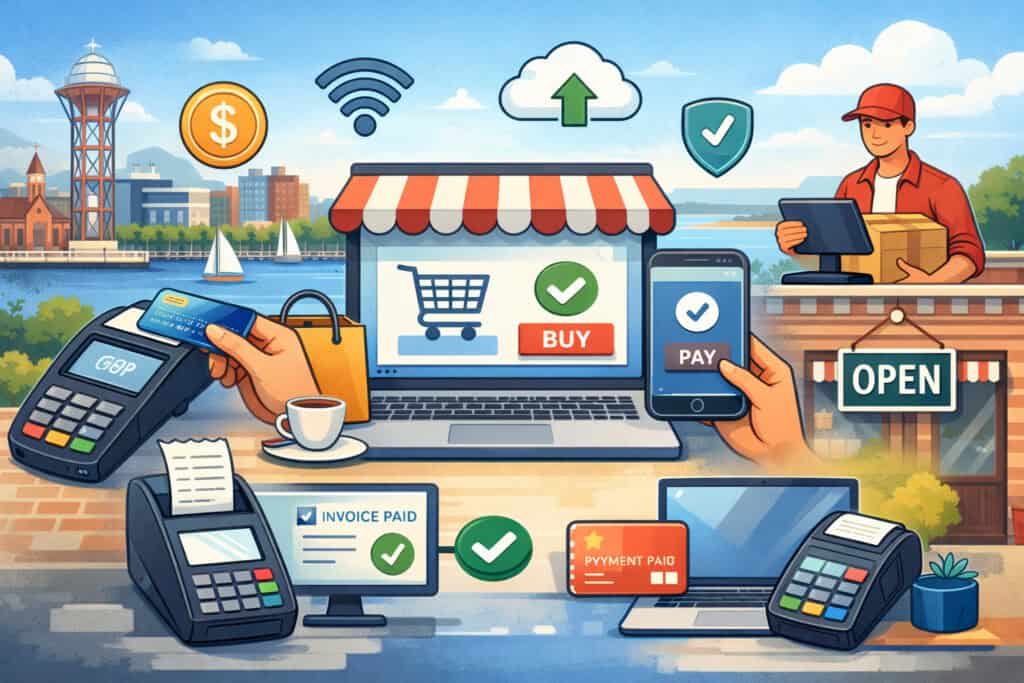
Businesses do not all accept cards the same way, and they should not. The best setup depends on where sales happen, how customers prefer to pay, and how staff interact with transactions. Some local businesses need only one payment method. Others benefit from several connected channels that all feed into one reporting system.
The most common card acceptance methods include in-store payments, mobile payments, online payments, invoice payments, phone payments, and recurring billing. A business may use one or all of these depending on its workflow.
The important thing is choosing a system that works reliably across the channels you actually use, not just the ones that look impressive in a sales demo.
In-Store Payments for Retail, Restaurants, and Counter Service
For brick-and-mortar businesses, in-store acceptance usually starts with a countertop terminal or a full point-of-sale system. A terminal can be enough for businesses with a straightforward checkout process, such as a small office or a service counter.
A POS system is often better for retail stores, restaurants, and businesses that need itemized sales, inventory tracking, staff permissions, modifiers, tips, or receipt options.
Modern in-store systems should support EMV chip cards, contactless tap payments, and digital wallets. Many customers now expect all three. Faster checkout matters, but so does trust. Chip-enabled and contactless-capable systems help businesses avoid relying on outdated hardware.
For retail and restaurant operators, the POS can become a central part of daily management. It may connect inventory, discounts, sales reports, employee activity, customer records, and sometimes online ordering or loyalty tools.
That is why point-of-sale systems for Erie merchants often deserve more attention than the processor alone. The software experience can shape how smoothly the business runs every day.
Mobile Payments for Field Service and On-the-Go Sales
Not every business operates from a fixed counter. Contractors, food vendors, pop-up sellers, event businesses, delivery teams, home service providers, and mobile professionals often need to take payments wherever they are. In those cases, a mobile card reader paired with a phone or tablet can be a practical option.
Mobile tools allow the business to accept chip, swipe, or tap payments on-site, email or text receipts, and sometimes create invoices or estimates from the same app.
For a plumber, landscaper, consultant, or repair professional, this can shorten the time between service completion and payment collection. That means less time chasing unpaid balances and more predictable cash flow.
When comparing mobile credit card processing for Erie companies, owners should look beyond the reader itself. Battery life, app stability, offline capabilities, tipping options, and compatibility with accounting or scheduling software all matter. A cheap reader is not a good value if it slows down field staff or creates reporting headaches later.
Online, Invoice, Phone, and Recurring Payments
Many local businesses need to accept payments without a card being physically present. That includes eCommerce sellers, offices collecting deposits, service providers sending invoices, and businesses taking payment over the phone. These transactions usually require a payment gateway, virtual terminal, hosted payment page, or invoicing system.
Online checkout is essential for businesses selling products or bookings through a website. Invoice payments work especially well for professional services, contractors, B2B providers, and offices that bill after work is completed.
Virtual terminals allow staff to key in payments manually, which may be useful for phone orders or remote collections, though keyed-in transactions often have higher risk and higher processing costs.
Recurring billing matters for membership businesses, ongoing service plans, installment arrangements, and subscription-based sellers. It can reduce manual billing work and help create more predictable revenue when used properly.
For owners exploring online payment processing for local businesses, the ideal system is one that lets customers pay easily while giving the business control over invoices, payment links, receipts, and records. That may be more valuable than simply choosing the lowest headline rate.
Features to Look for in a Payment Processing Solution
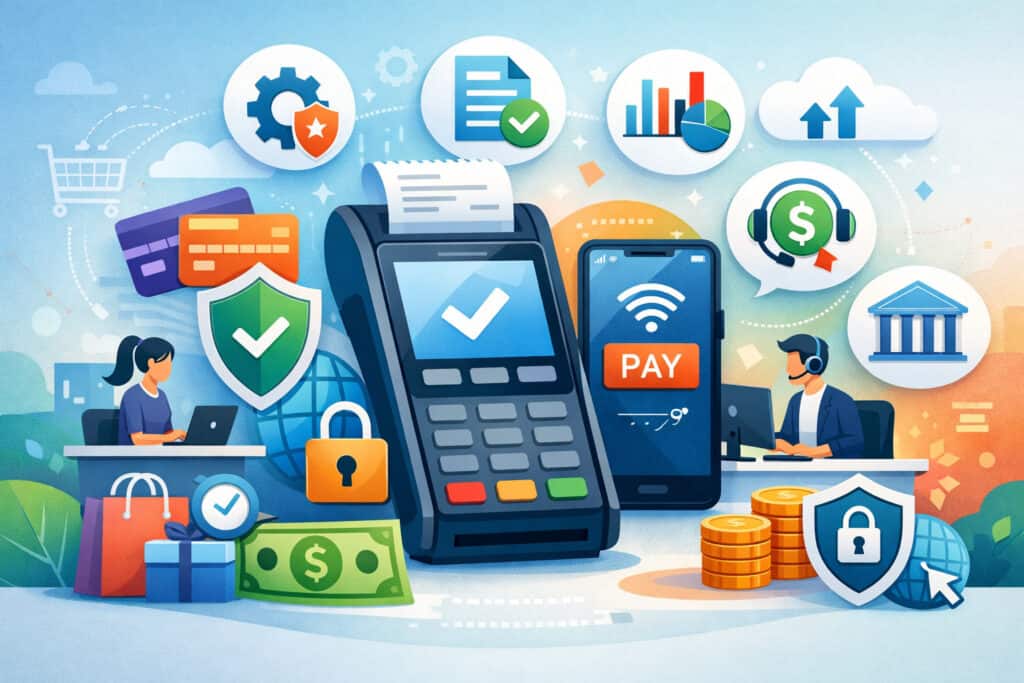
Not all processors and merchant services platforms are built the same. Some are designed for small, simple operations. Others support multi-location businesses, advanced software integrations, or highly specific workflows.
When comparing providers, business owners should focus less on marketing language and more on the features that will actually affect customer experience, daily operations, and long-term cost.
A strong payment solution should make it easy to accept cards securely, reconcile transactions, serve customers quickly, and adapt as the business grows. That means looking at hardware, software, reporting, integrations, support, funding speed, and pricing transparency together rather than as separate decisions.
Payment Hardware and Software That Fit Real Workflows
A card reader or terminal is only part of the picture. The better question is whether the hardware and software fit the way the business actually operates. A boutique retailer may need barcode scanning, inventory management, and digital receipts.
A restaurant may need tipping, table management, kitchen integration, and online ordering support. A contractor may care more about mobile invoicing, quick estimates, and field-ready devices.
Ease of use matters as much as features. Staff should be able to learn the system quickly and handle common tasks without confusion. That includes refunds, split payments, email receipts, manual entry, and end-of-day reporting. Complex systems can slow down service if they are not intuitive.
For businesses comparing card readers for small businesses and more advanced POS setups, it is helpful to think in terms of workflow, not just equipment. The payment tool should support how you sell, not force you to redesign your process around the technology.
Transparency, Support, and Integrations
A provider may offer good hardware but still create problems if pricing is unclear, reporting is weak, or support is hard to reach. Transparent pricing matters because payment processing fees can be difficult to compare.
Businesses should be able to understand what they are paying for, which fees are recurring, and whether equipment or software charges are separate.
Support is equally important. Payments are mission-critical. If terminals stop working on a Friday evening or an online gateway has an issue, the business needs prompt help. Good support can make a major difference when dealing with chargebacks, batch issues, terminal replacements, or gateway settings.
Integrations also deserve attention. Many businesses want payments to sync with accounting software, eCommerce platforms, scheduling tools, practice management software, or customer relationship systems. Strong integrations reduce duplicate entry, improve reporting accuracy, and save time.
Costs and Pricing Models Businesses Should Understand
Pricing is one of the most important parts of choosing a processor, and also one of the easiest places to get confused. Many business owners focus only on the advertised transaction rate.
That is understandable, but it does not provide the full picture. The true cost of accepting cards may include transaction fees, monthly fees, gateway costs, equipment charges, PCI-related fees, statement fees, chargeback fees, and contract-related expenses.
That does not mean card processing is too complicated to evaluate. It just means owners should ask better questions. Instead of asking only, “What is your rate?” ask how pricing works across all channels and what fees apply under normal operating conditions.
Common Processing Pricing Structures
One common model is flat-rate pricing. This is simple to understand because the business pays a fixed percentage and sometimes a per-transaction amount. Flat-rate pricing often works well for smaller businesses or newer companies that want simplicity over statement complexity.
Another model is interchange-plus pricing. In this structure, the business pays the card network interchange cost plus a processor markup.
This can be more transparent and sometimes more cost-effective for businesses with higher volume, though it may appear more complex on statements. Tiered pricing also exists, but it can be harder to evaluate because transactions are grouped into categories that may not be fully transparent.
There may also be monthly minimums, PCI compliance fees, annual fees, or gateway charges depending on the setup. Businesses that accept more keyed-in or online payments may also see different effective rates than businesses that run most transactions through chip or tap in person.
Equipment, Chargebacks, and Contract Terms
Hardware costs vary widely. Some providers offer basic readers at low upfront cost, while more advanced terminals and POS systems can carry larger purchase or lease expenses. Leasing can seem convenient, but owners should review the total long-term cost carefully. In many cases, buying equipment outright is more cost-effective than entering a long lease.
Chargebacks are another cost area that deserves attention. A chargeback happens when a cardholder disputes a transaction. The business may face a chargeback fee and possible revenue loss if the dispute is not resolved in its favor.
Businesses with higher-risk transaction types, remote billing, or custom-order work should pay special attention to chargeback management tools and policies.
Contract terms matter too. Some processors offer month-to-month agreements. Others may have longer terms, auto-renewal clauses, or early termination fees. A low initial quote can become less attractive if it comes with restrictive terms or rising costs over time.
How to Choose the Right Credit Card Processing Setup
Choosing the right setup starts with understanding your own business before comparing providers. That means looking at how and where you take payments, what your average ticket size is, how often customers pay, how quickly you need deposits, and which tools your staff use daily.
Payment systems are not one-size-fits-all, and the best option for one local business may be the wrong fit for another.
A new business may prioritize simplicity, quick approval, and affordable startup equipment. An established business may care more about software integrations, detailed reporting, multi-channel sales support, or reducing processing costs at scale. The right setup balances operational fit, customer convenience, and manageable cost.
Matching the Setup to Your Business Type
Retail stores often need a robust POS, barcode scanning, inventory tools, and fast checkout. Restaurants may need tip adjustment, menu modifiers, kitchen printing, online ordering, and table management.
Contractors and home service businesses usually benefit from mobile payment tools, invoice options, and field-ready hardware. Professional offices may need recurring billing, virtual terminals, stored payment methods, or secure remote collection tools.
Healthcare practices may care about payment plans, patient statements, secure billing workflows, and front-desk efficiency. eCommerce sellers need dependable gateways, fraud tools, shopping cart compatibility, and customer-friendly checkout flows.
These differences are why small business credit card processing in Erie should always be evaluated in context, not by generic recommendations alone.
Another factor is ticket size. Businesses with larger average transactions may care more about pricing structure and fraud controls. Businesses with many small-ticket transactions may care more about speed, simplicity, and how per-transaction fees add up.
Evaluating Providers With the Right Questions
Once you know your needs, it becomes easier to compare providers. Ask how merchant account approvals work, what documents are required, how long setup takes, what hardware is compatible, and whether software integrates with your current tools. Ask how customer support is handled and whether help is available when you are actually open for business.
It is also smart to ask how the provider handles growth. Can you add online payments later? Can multiple staff members use the system with different permissions? Can you support more than one location? Can you integrate accounting, inventory, or scheduling tools down the road? A payment system should meet today’s needs without limiting tomorrow’s options.
Common Mistakes to Avoid When Setting Up Card Acceptance
Even well-run businesses can make avoidable mistakes when setting up payment processing. Some choose a provider too quickly based on a headline rate.
Others focus only on hardware and overlook software compatibility, support quality, or contract terms. The result can be higher costs, workflow frustration, or customer experience issues that show up after implementation.
A careful setup process can prevent many of these problems. That starts with understanding common pitfalls and knowing what to look for before signing an agreement or installing new equipment.
Choosing Based Only on Price or Equipment
One of the biggest mistakes is choosing a processor based only on the quoted rate. Processing cost matters, but it is only one part of the equation. A low rate may come with limited support, poor reporting, long contracts, added monthly fees, or software that does not fit the business. Over time, those issues can cost more than the original savings.
Another mistake is focusing only on hardware. A sleek terminal or attractive POS screen can be appealing, but hardware should not drive the decision alone. The real question is whether the full system supports your sales flow, reporting needs, refund process, staff training, and customer experience.
Compatibility also matters. Businesses sometimes buy equipment or sign up for software without confirming that it works with their accounting system, eCommerce platform, scheduling software, or existing operations. That can lead to manual workarounds that waste time every week.
Ignoring Security, Chargeback Risk, and Scalability
Security should never be an afterthought. Businesses need EMV-capable equipment, secure gateways, user permissions, and provider guidance on PCI-related responsibilities. Even when the provider handles much of the technical side, the business still needs sound internal processes for protecting payment data and controlling access.
Chargeback risk is another area that gets overlooked. Keyed-in payments, remote billing, unclear refund policies, and poor documentation can all increase dispute risk.
Businesses should have clear receipts, written policies, and proper records for services delivered or products provided. Providers with better chargeback tools and support can be very helpful here.
Scalability is often ignored by businesses that are focused on immediate needs. But growth changes what the business requires. A setup that works for one register or one technician may feel limited once there are multiple staff members, sales channels, or locations.
Best Practices for Improving Payment Experience and Cash Flow
Accepting cards is only the beginning. The next step is using your payment setup in a way that improves customer convenience, speeds up operations, and supports stronger cash flow. Businesses that treat payments as part of the customer experience often see benefits that go beyond processing itself.
A good payment experience feels fast, clear, and trustworthy. Customers should know how they can pay, what to expect, and how to get a receipt.
Staff should be able to complete transactions quickly and resolve routine issues without confusion. For the business owner, strong payment practices also improve collections, reduce delays, and make reporting easier.
Make Paying Easy Across the Channels Customers Use
Convenience matters. In-store customers may want tap-to-pay or digital wallet options. Service customers may prefer a payment link by text or email. B2B clients may prefer invoices with online payment buttons. Repeat customers may appreciate saved payment methods or recurring billing where appropriate.
Offering the right mix of payment options can remove friction and help the business get paid faster. That does not mean offering every possible method. It means matching options to customer behavior.
For example, a professional office may benefit more from easy invoicing and auto-pay than from a complex retail POS. A local shop may benefit more from fast contactless checkout and integrated receipts.
Clear communication helps too. Display accepted payment methods, explain invoices clearly, and train staff to guide customers through payment options. The more straightforward the process feels, the smoother checkout becomes.
Improve Cash Flow With Better Billing and Reconciliation Habits
Cash flow improves when businesses collect faster and reconcile cleanly. Sending invoices promptly, taking deposits when appropriate, using automatic reminders, and offering easy digital payment links can reduce the time it takes to get paid. Mobile payment tools can help field service businesses collect at the job site instead of waiting days or weeks.
Reconciliation matters on the back end. Business owners should review deposits, batch totals, fees, refunds, and disputes regularly. Good reporting makes it easier to spot problems early, understand actual processing costs, and keep accounting records accurate.
Businesses can also manage costs by encouraging secure, lower-risk payment methods when appropriate, keeping card-present equipment updated, and reducing unnecessary manual entry. Better documentation helps with dispute prevention as well.
FAQ
Q.1: What does a business need first to start accepting card payments?
Answer: Most businesses need a payment processing setup that includes a merchant account or all-in-one payment provider, a processor, and the right acceptance tools for their sales channels.
That may be a countertop terminal, POS system, mobile card reader, online gateway, invoicing system, or virtual terminal. The exact combination depends on whether the business sells in person, online, on-site, or by invoice. New businesses should start by mapping out how customers will actually pay.
Q.2: Can a small local business accept credit card payments without a full POS system?
Answer: Yes. Many small businesses start with a simple terminal or mobile card reader instead of a full point-of-sale platform. That can work well for businesses with straightforward transactions and limited inventory needs.
However, if the business needs inventory tracking, detailed reporting, employee permissions, or integrated online sales, a POS may become worthwhile. The right setup depends on daily workflow, not just business size.
Q.3: What is the difference between a payment processor and a merchant account?
Answer: A payment processor handles the communication that moves transaction data for approvals and settlements. A merchant account is the account structure that allows the business to accept card payments and receive funds.
Some providers bundle these services together, while others separate them. For many owners, the more practical question is whether the provider gives them a smooth and reliable end-to-end solution.
Q.4: Are online and keyed-in payments usually more expensive than in-person payments?
Answer: They often are. Payments where the card is not physically present can carry higher risk, which may lead to higher processing costs and greater chargeback exposure.
That includes online checkout, phone payments, and manually keyed-in transactions through a virtual terminal. Businesses should use secure tools, clear billing descriptions, and strong recordkeeping to reduce risk in these channels.
Q.5: How long does it usually take for card payments to reach the business bank account?
Answer: Funding speed varies by provider, account type, and processing schedule. Many businesses receive deposits within one to three business days, while some providers offer faster funding options.
It is important to ask how batch timing works, whether weekends affect funding, and how fees appear in the final deposit. Understanding this helps with cash flow planning.
Q.6: What should Erie businesses look for in a provider besides rates?
Answer: Rates matter, but they should not be the only factor. Businesses should also review contract terms, support availability, reporting quality, hardware reliability, software integrations, funding speed, invoicing tools, chargeback support, and ease of use for staff.
A slightly higher-cost solution may deliver better value if it saves time, improves customer experience, and fits the business more closely.
Q.7: Which setup is best for service businesses that work at customer locations?
Answer: Service businesses often benefit from mobile card readers, invoice tools, and payment links they can send by text or email. This makes it easier to collect payment immediately after work is completed or request deposits before the job.
For many field-based businesses, mobile acceptance is one of the most practical forms of accepting card payments for retail and service businesses because it reduces delays and supports a more professional customer experience.
Conclusion
Understanding how Erie businesses can accept credit card payments comes down to matching the right tools with the way the business actually operates. For some, that means a simple terminal at the counter.
For others, it means a connected system that includes POS software, mobile readers, online checkout, invoicing, recurring billing, and reporting tools. The best setup is the one that helps customers pay easily while helping the business stay efficient, secure, and organized.
As you compare accept credit card payments in Erie PA options, focus on the fundamentals. Look for transparent pricing, reliable support, secure technology, fast and understandable funding, and tools that fit your workflow across in-store, mobile, office, and online channels.
Consider your business size, average ticket, customer habits, software needs, and growth plans before making a decision.
Whether you are opening a new business or upgrading an existing system, the right payment solution can improve more than just checkout. It can strengthen cash flow, reduce administrative work, support better customer service, and give you a more solid foundation for growth.
In a competitive local market, choosing the right local merchant account options and card payment solutions for local businesses is not just about processing transactions. It is about building a payment experience that works for your team and the customers you serve every day.