
For local shops, restaurants, contractors, service providers, health offices, salons, nonprofits, and mobile vendors, accepting payments is no longer just a checkout feature. It is part of the customer experience, cash flow, accounting process, and overall professionalism of the business.
That is why merchant accounts explained for small businesses in Erie are an important topic for any owner who accepts credit cards, debit cards, online payments, mobile payments, or POS transactions.
A merchant account helps a business receive card-based and digital payments after a customer makes a purchase. Without the right setup, a business may struggle with delayed deposits, confusing fees, limited payment options, chargebacks, or poor reporting. With the right setup, payments can move more smoothly from checkout to settlement.
For Erie businesses, the right payment setup can also support local selling conditions. A retailer may need countertop terminals and POS systems. A contractor may need mobile payments at job sites.
A professional office may need online invoices. A seasonal vendor may need flexible local payment processing that works at events, markets, and pop-ups.
This guide explains merchant accounts, how they work, what fees to expect, how to compare Erie merchant account providers, and how to choose small business payment solutions that fit real day-to-day operations.
What Is a Merchant Account?
A merchant account is a type of account that allows a business to accept card and digital payments. When a customer pays with a credit card, debit card, mobile wallet, or online payment form, the money does not move directly from the customer to the business bank account in one simple step.
Instead, the transaction passes through a payment network involving the processor, card networks, issuing bank, acquiring bank, and the merchant account structure.
For small businesses, the merchant account acts as the holding and routing point for approved card transactions before funds are deposited into the business bank account. This is why merchant accounts are central to credit card processing, POS systems, online payments, mobile payments, and payment gateways.
A merchant account is often bundled with merchant services. These services may include terminals, POS software, mobile readers, online checkout tools, payment gateways, invoicing tools, fraud controls, reporting dashboards, and support.
For a business owner, the practical question is not just “Do I have a merchant account?” It is “Does my payment setup help me get paid securely, quickly, and efficiently?”
Erie small business merchant accounts are especially useful because many local businesses sell in more than one environment. A boutique might sell in-store and online. A café may use a countertop terminal, contactless payments, and gift card tools.
A home service provider may take deposits by invoice and final payments by mobile terminal. A nonprofit may need donation pages and recurring payment options.
A good merchant account setup supports these payment channels without forcing the business to manage disconnected systems. It should help the owner track sales, review deposits, manage refunds, reduce errors, and maintain a consistent customer checkout experience.
How Merchant Accounts Work for Small Businesses
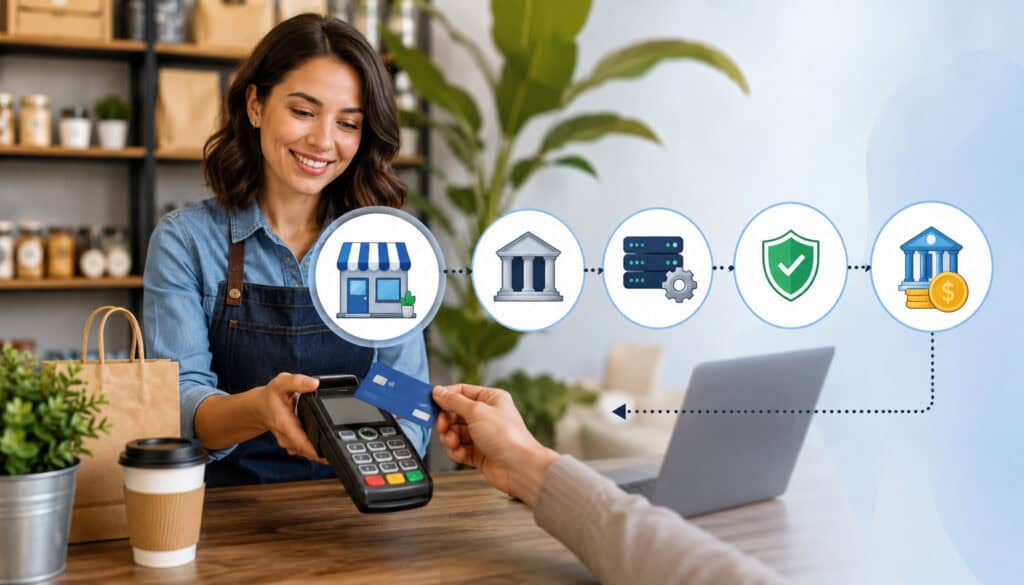
Merchant accounts work by moving a transaction through several steps: authorization, capture, processing, settlement, deposit, and reporting. Each step affects whether the payment is approved, how quickly funds arrive, what fees apply, and how easily the business can reconcile sales.
When a customer presents a card, taps a mobile wallet, enters payment information online, or pays through an invoice link, the payment system sends transaction details for approval.
The issuing bank checks whether the card is valid, whether funds or credit are available, and whether the transaction appears risky. The approval or decline is returned to the terminal, POS system, payment gateway, or mobile reader.
After authorization, the transaction is captured and included in a batch for settlement. Settlement is the process that moves approved transaction funds through the payment network. After fees and processing steps are handled, the net funds are deposited into the business bank account.
For small business credit card processing Erie owners should also understand refunds and chargebacks. A refund is initiated by the business when the customer is owed money back. A chargeback is initiated through the cardholder’s bank when the customer disputes a transaction. Both affect cash flow, reporting, and account health.
Payment reporting matters because it helps the business compare sales totals, deposits, tips, refunds, taxes, and fees. A strong reporting dashboard can save hours of manual work and reduce bookkeeping mistakes.
| Step | What Happens | Why It Matters |
| Customer payment | Customer pays by card, mobile wallet, invoice, or online form | Creates the transaction request |
| Authorization | The card issuer approves or declines the payment | Confirms whether the payment can proceed |
| Capture | Approved transaction is saved for processing | Moves the payment toward settlement |
| Settlement | Transactions are submitted through the payment network | Begins the funding process |
| Deposit | Net funds are sent to the business bank account | Impacts cash flow |
| Reporting | Sales, refunds, fees, and deposits are recorded | Helps with reconciliation and planning |
Payment Authorization
Payment authorization is the first major checkpoint in the transaction process. When a customer inserts, taps, swipes, or enters card details, the payment system sends a request to confirm whether the transaction should be approved. This happens quickly, but several checks occur in the background.
The issuing bank may review available funds, card status, fraud signals, billing details, transaction amount, and security information. For online payments, tools such as address verification and CVV checks may also help evaluate risk.
For in-person payments, chip and contactless technology can help reduce certain fraud risks compared with older swipe-only methods.
Authorization does not always mean the business has received the money yet. It means the transaction has been approved for processing. The business still needs capture, settlement, and deposit to occur before funds reach the bank account.
Settlement and Deposits
Settlement is the process that turns approved transactions into deposited funds. At the end of a business day, approved transactions are usually batched and submitted for processing. The processor and banking partners then move the funds through the payment network so the business can receive deposits.
Deposit timing can vary depending on the processor, business type, batch time, risk profile, bank policies, and payment method. Some businesses may receive deposits quickly, while others may experience delays because of weekends, holidays, underwriting reviews, chargeback concerns, or batch timing issues.
For Erie payment processing solutions, settlement timing should be part of the comparison process. A business that depends on daily cash flow needs to know when funds will arrive. Restaurants, retailers, salons, and contractors may all plan payroll, inventory, supplies, and vendor payments around deposit timing.
Good reporting should show gross sales, refunds, chargebacks, processing fees, and net deposits. Without this visibility, a business may see a bank deposit but not understand which transactions it represents.
Why Erie Small Businesses Need Merchant Accounts
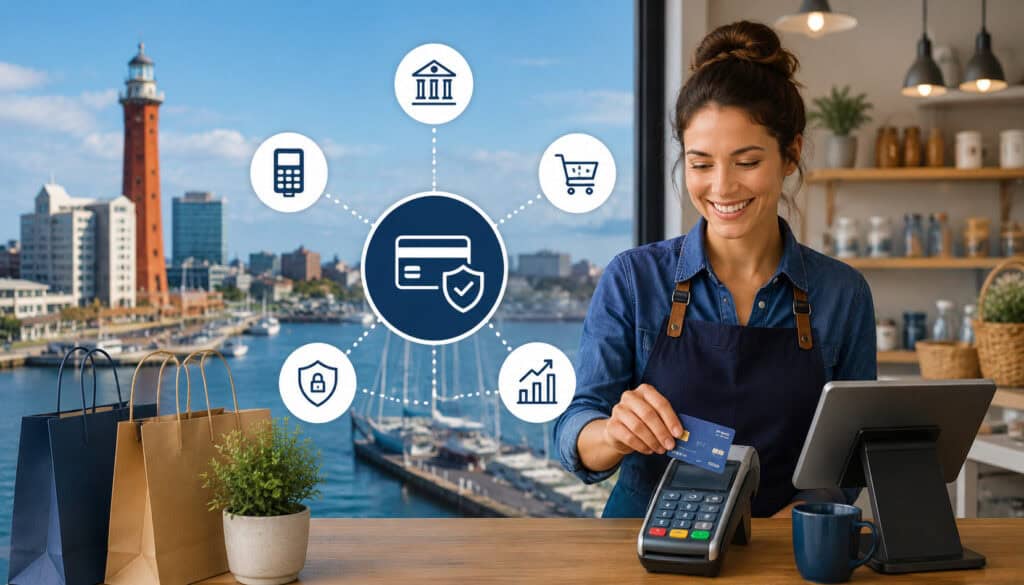
Erie small businesses need merchant accounts because customers expect convenient, flexible, and secure ways to pay. A cash-only setup may seem simple, but it can limit sales, slow checkout, complicate recordkeeping, and create extra trips for deposits.
Card and digital payments help businesses serve customers who prefer credit cards, debit cards, mobile wallets, online invoices, and recurring payments.
Customer convenience is one of the biggest reasons to use merchant accounts. A customer who can tap a card, pay by phone, complete an invoice from home, or check out online is less likely to abandon the purchase. This matters for local retailers, restaurants, repair shops, service providers, event vendors, and professional offices.
Merchant accounts also support faster and cleaner payment collection. Instead of waiting for checks, handling cash, or following up repeatedly, businesses can send invoice links, accept deposits, and track payment status. This can improve cash flow and reduce administrative work.
Local competition is another factor. If nearby businesses offer modern checkout options and your business does not, customers may notice. A smooth payment experience can make even a small operation feel more professional and reliable.
Mobile sales are also important in Erie. Vendors at local markets, food trucks, contractors, delivery-based businesses, and service professionals often need to accept payments away from a fixed counter.
Mobile payments and wireless terminals make it easier to complete the sale when the customer is ready to pay. For more on selling away from a fixed checkout, see this guide to mobile payment solutions for Erie vendors.
Merchant accounts can also improve business management. Reporting tools can help owners review sales trends, payment methods, refunds, and deposits. POS systems may connect payments with inventory, customer records, employee permissions, tax tracking, and accounting workflows.
Merchant Services in Erie PA: What to Look For
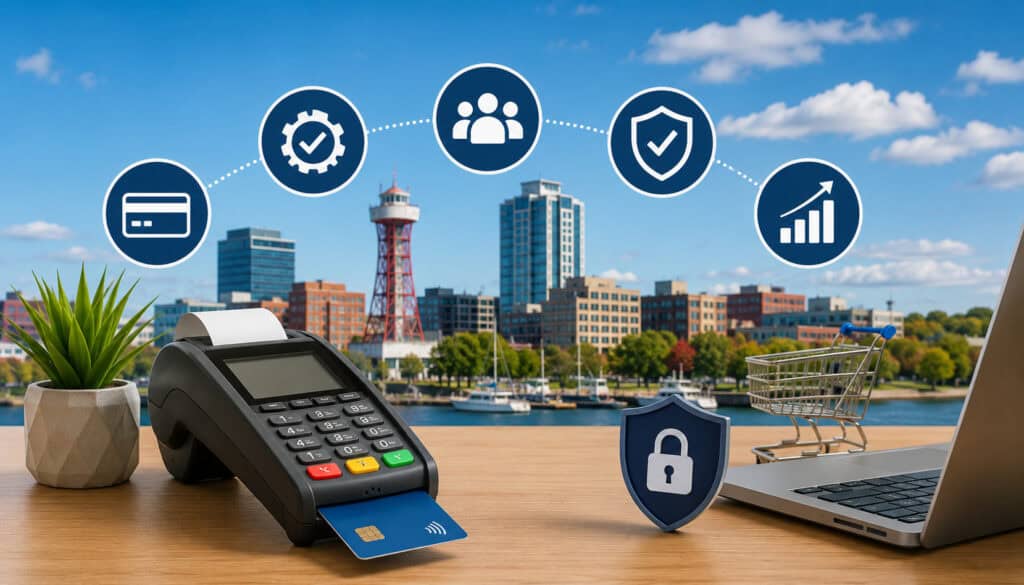
When comparing merchant services in Erie PA, small businesses should look beyond the ability to accept cards. A complete setup may include POS systems, payment gateways, mobile terminals, online payment tools, reporting, customer support, and transparent pricing. The goal is to choose a solution that supports the business now while leaving room to grow.
POS systems are especially important for restaurants, retailers, cafés, salons, and service counters. A POS system can handle checkout, taxes, tips, inventory, receipts, employee permissions, discounts, and daily sales reports. Some businesses need a simple terminal, while others need a full POS with inventory management, menu tools, or appointment integrations.
Payment gateways matter for online payments. A gateway securely transmits payment information from a website, online invoice, donation page, or checkout form to the processor. Businesses that sell online, take deposits, send digital invoices, or accept recurring payments should make sure the gateway is compatible with their website and accounting workflow.
Mobile terminals are useful for businesses that take payments outside a traditional storefront. Contractors, market vendors, delivery businesses, landscapers, repair services, and event sellers may need mobile payments that work reliably with receipts, tipping, taxes, and customer signatures.
Reporting is another key feature. A useful dashboard should make it easy to review transactions, deposits, refunds, batches, chargebacks, and fees. Better reporting can reduce bookkeeping confusion and help owners spot trends.
Support should be practical and reachable. Payment problems can interrupt sales, so businesses should ask how support works, when it is available, and whether help is available for setup, troubleshooting, chargebacks, terminals, gateways, and PCI-aware workflows.
Transparent pricing is essential. Business owners should understand transaction rates, monthly fees, gateway fees, equipment costs, chargeback fees, and contract terms before signing. A helpful starting point is this payment processing checklist for Erie business owners.
Common Merchant Account Fees
Merchant account fees can vary, but most small businesses should expect a combination of transaction fees and account-related costs. Understanding these fees helps owners compare Erie merchant account providers more accurately and avoid surprises on monthly statements.
Transaction fees are usually the biggest cost. These are charged when a customer pays by card or digital method. The fee may include interchange, card brand assessments, and processor markup. Some pricing models show these components separately, while others combine them into a flat or tiered rate.
Monthly fees may cover account maintenance, reporting tools, support, PCI-related services, or platform access. Not every provider charges the same way, so business owners should ask what the monthly fee includes and whether it changes based on equipment, gateway access, or sales volume.
Gateway fees apply when a business accepts online payments through a payment gateway. These may include a monthly gateway charge, per-transaction gateway fee, or additional costs for features such as recurring billing, hosted checkout, fraud filters, or payment links.
Chargeback fees occur when a customer disputes a transaction through their card issuer. Even if the business wins the dispute, there may still be a fee for handling the case. Chargebacks can also create operational costs because the business must gather receipts, order records, delivery proof, refund policies, and customer communication.
Equipment costs may include terminals, card readers, POS hardware, receipt printers, cash drawers, barcode scanners, kitchen printers, tablets, stands, and networking equipment. Some providers offer purchase, rental, lease, or placement options.
Business owners should understand who owns the equipment, what happens if it breaks, and whether replacement is included.
Statement fees, batch fees, minimum fees, compliance-related fees, early termination fees, and software subscription fees may also appear. The key is to review the full cost, not just the advertised rate.
Useful questions include:
- What is the total estimated monthly cost at my current sales volume?
- Are rates different for card-present, keyed, online, and mobile payments?
- Are there monthly minimums?
- Are gateway, PCI-related, or statement fees separate?
- What are the chargeback fees?
- Is there a contract term or cancellation fee?
- What equipment costs are upfront, monthly, or optional?
Payment Security and Chargeback Prevention
Payment security should be built into every merchant account setup. Small businesses handle sensitive payment activity, and even if they never store full card numbers, they still need secure workflows, modern terminals, careful staff training, and reliable vendor practices. Payment security protects customers, reduces fraud risk, and supports business credibility.
Encryption helps protect payment data while it moves through the transaction process. Tokenization replaces sensitive card information with a token that can be used for future transactions without exposing the original card data. Secure terminals and PCI-aware workflows help reduce the risk of card data exposure.
The PCI Security Standards Council provides guidance and resources for protecting payment data, including small merchant resources focused on safer payment practices. Businesses can review payment security information through the PCI Security Standards Council merchant resources.
Chargeback prevention is closely connected to security and customer communication. A chargeback may happen because of fraud, confusion, dissatisfaction, duplicate billing, unclear refund policies, shipping issues, or a customer not recognizing the billing descriptor. Preventing chargebacks begins before the sale and continues after payment.
Businesses can reduce chargeback risk by using clear receipts, accurate product descriptions, recognizable billing descriptors, signed service agreements, delivery confirmations, and documented refund policies.
Staff should know when to check identification for suspicious transactions, how to handle partial refunds, and how to document customer approvals.
For online payments, businesses should use fraud tools such as address verification, CVV checks, order review rules, velocity monitoring, and secure checkout pages. For in-person payments, EMV chip and contactless terminals can help reduce counterfeit card risk.
Refund policies should be visible and consistent. A customer who understands the refund process may contact the business first instead of starting a dispute through the card issuer. Fast customer service can often prevent a small issue from becoming a chargeback.
Documentation matters if a dispute occurs. Businesses should keep receipts, invoices, order forms, signed agreements, delivery records, email communication, refund records, and photos when relevant. A strong response package can improve the chance of resolving the dispute successfully.
Choosing Erie Payment Processing Solutions
Choosing Erie payment processing solutions requires a balance of cost, features, support, contract terms, integrations, settlement timing, and payment methods. The right choice depends on how the business sells, where customers pay, how much volume the business processes, and what tools the team needs every day.
Start with payment methods. A local business may need credit card processing, debit cards, contactless payments, mobile wallets, keyed payments, online invoices, recurring billing, payment links, and eCommerce checkout. A business that sells through multiple channels should avoid a setup that creates separate reports for every payment type.
Next, review pricing. Ask for a clear breakdown of transaction rates, monthly fees, gateway fees, chargeback fees, equipment costs, and optional software subscriptions. Pricing should be understandable enough that the owner can compare it against monthly statements later.
Support is just as important as pricing. If a terminal fails during a rush, a gateway stops working, or deposits do not match reports, the business needs help quickly. Ask whether support is available for hardware, software, settlement, chargebacks, refunds, gateway settings, and reporting.
Contract terms should be reviewed carefully. Some agreements include cancellation fees, equipment lease obligations, automatic renewals, or minimum processing requirements. A low rate may not be worth it if the contract is restrictive.
Integrations can save time. Businesses may need payment tools that connect with accounting software, shopping carts, booking systems, inventory tools, customer management platforms, or POS systems. Better integrations reduce double entry and make reconciliation easier.
Settlement timing should match cash flow needs. A business with tight inventory cycles, payroll demands, or daily vendor purchases should understand batch times and deposit schedules before choosing a provider.
Business owners just getting started can review this payment processing setup guide for new Erie businesses for a broader overview of tools and setup decisions.
Common Mistakes to Avoid
One of the most common mistakes small businesses make is choosing payment processing based only on the lowest advertised rate.
Rates matter, but the cheapest quote may not include gateway fees, monthly fees, equipment charges, chargeback fees, PCI-related costs, or software subscriptions. A low rate can become expensive if the system creates extra work or does not support the business properly.
Another mistake is ignoring contract terms. Some agreements include long commitments, cancellation penalties, automatic renewals, or equipment lease obligations. Business owners should read the agreement carefully and ask questions before signing.
Weak security is also a major risk. Older terminals, shared passwords, unsecured Wi-Fi, poor refund controls, and careless handling of card information can create vulnerabilities. Even small businesses need clear payment security practices.
Poor staff training can cause declined transactions, duplicate charges, refund mistakes, tip errors, and customer frustration. Employees should know how to run chip, tap, swipe, keyed, refund, void, and receipt functions. They should also understand when to call support and how to document unusual situations.
Not reviewing statements is another costly mistake. Processing statements can be confusing, but ignoring them makes it difficult to catch unexpected fees, rate changes, chargebacks, or deposit issues. Owners should review statements regularly and compare them with POS reports and bank deposits.
Businesses also make mistakes when they use disconnected tools. For example, a shop may use one system for in-store payments, another for online invoices, and another for mobile events. This can make reporting and reconciliation more difficult. A more unified approach often saves time.
Finally, some businesses fail to plan for growth. A simple card reader may work at first, but the business may later need inventory, online payments, multi-location reporting, employee permissions, gift cards, or accounting integrations. Choosing flexible tools can prevent a disruptive switch later.
What is a merchant account?
A merchant account allows a business to accept card and digital payments and receive the funds after transactions are processed and settled. It works with payment processors, card networks, banks, terminals, POS systems, mobile readers, and payment gateways.
For small businesses, the merchant account is part of the payment pathway between the customer’s card or digital wallet and the business bank account. It supports credit card processing, debit payments, online payments, mobile payments, refunds, settlement, and reporting.
Do small businesses in Erie need merchant accounts?
Many Erie small businesses benefit from merchant accounts because customers often expect card and digital payment options. Retailers, restaurants, contractors, salons, professional offices, vendors, and service providers can all use merchant accounts to accept payments more conveniently.
A merchant account can also help with cash flow, reporting, online invoices, POS transactions, and customer trust. Even very small operations may need mobile payments or online payment links to stay competitive.
How does credit card processing work?
Credit card processing begins when a customer presents payment information through a terminal, POS system, mobile reader, website, or invoice link. The transaction is sent for authorization, where the card issuer approves or declines the payment.
If approved, the transaction is captured and later settled. After settlement, funds are deposited into the business bank account, minus applicable fees. Reporting tools help the business track the transaction, refund activity, chargebacks, and deposits.
What fees should businesses expect?
Common merchant account fees include transaction fees, monthly fees, gateway fees, chargeback fees, equipment costs, statement fees, and possible software subscription fees. Some businesses may also see PCI-related fees, batch fees, or monthly minimums.
The exact cost depends on sales volume, card types, transaction methods, pricing model, business risk, and provider terms. Business owners should compare total monthly cost rather than focusing only on the advertised rate.
Can merchant accounts support online payments?
Yes. Merchant accounts can support online payments when connected with a payment gateway, hosted checkout, invoice payment tool, or eCommerce platform. This allows customers to pay through websites, payment links, digital invoices, donation forms, or recurring billing systems.
Online payment support is useful for retailers, service providers, nonprofits, professional offices, and businesses that collect deposits. The key is choosing a gateway that works securely with the business website and reporting needs.
Are mobile payments useful for local businesses?
Mobile payments are useful for businesses that sell outside a fixed checkout area. Contractors, food trucks, delivery services, market vendors, event sellers, repair providers, and appointment-based businesses can use mobile terminals or card readers to accept payments where the customer is.
Mobile payments can reduce unpaid invoices, improve convenience, and make checkout faster. They can also provide digital receipts and better sales tracking than cash-only field payments.
How can businesses reduce chargebacks?
Businesses can reduce chargebacks by using secure terminals, clear receipts, accurate billing descriptors, visible refund policies, signed agreements, delivery confirmation, and strong customer communication. Staff should document special orders, service approvals, refunds, and customer disputes.
For online payments, fraud tools such as CVV checks, address verification, velocity rules, and secure payment gateways can help. Fast customer support also matters because customers may dispute a charge when they cannot resolve the issue directly.
How do I compare merchant account providers?
Compare Erie merchant account providers by reviewing pricing, support, contract terms, equipment options, payment methods, settlement timing, chargeback handling, reporting tools, and integrations. Ask for a full fee schedule and examples based on your actual sales mix.
You should also consider whether the provider supports your business model. A restaurant, online seller, contractor, and retail shop may need very different tools. For a broader look at available tools, review these payment processing products and services.
Conclusion
Merchant accounts help Erie small businesses accept payments securely, support customer convenience, improve cash flow, and manage transactions more professionally.
Whether a business accepts credit card processing at a counter, online payments through a gateway, mobile payments in the field, or POS transactions in a busy shop, the merchant account is a key part of the payment process.
The best setup is not simply the cheapest or most complex. It is the one that fits how the business sells, how customers prefer to pay, and how the owner needs to manage reporting, deposits, refunds, fees, and chargebacks.
By understanding merchant account fees, settlement timing, payment security, POS systems, payment gateways, and provider terms, Erie business owners can make better decisions and avoid costly mistakes. A strong payment setup should make it easier to get paid, easier to serve customers, and easier to run the business with confidence.