
By alphacardprocess January 27, 2026
Erie vendors are operating in a market where customers expect fast, flexible checkout—whether you’re selling coffee at a pop-up, handmade goods at a weekend market, running a food truck near Presque Isle, or taking deposits at a service call.
That expectation is exactly why mobile payment solutions have become a practical growth tool: they help you accept card and contactless payments anywhere, reduce “cash-only” friction, and capture more sales during peak foot traffic.
But “getting a reader” is only the beginning. The best mobile payment solutions for Erie vendors also help you manage receipts, tips, taxes, inventory, staff permissions, chargebacks, and customer loyalty—without creating a mess at reconciliation time.
And because local vendors often work across multiple setups (markets, events, curbside, delivery, in-store), you need a payment stack that works consistently across locations and internet conditions.
This guide breaks down how Erie vendors can choose, set up, and optimize mobile payment solutions—including hardware options, Tap to Pay phone checkout, security considerations, pricing models, and future-ready upgrades.
You’ll also find Erie-specific operational notes (especially for food vendors) so your payment setup supports compliance, speed, and customer experience.
Why mobile payment solutions matter for Erie vendors right now
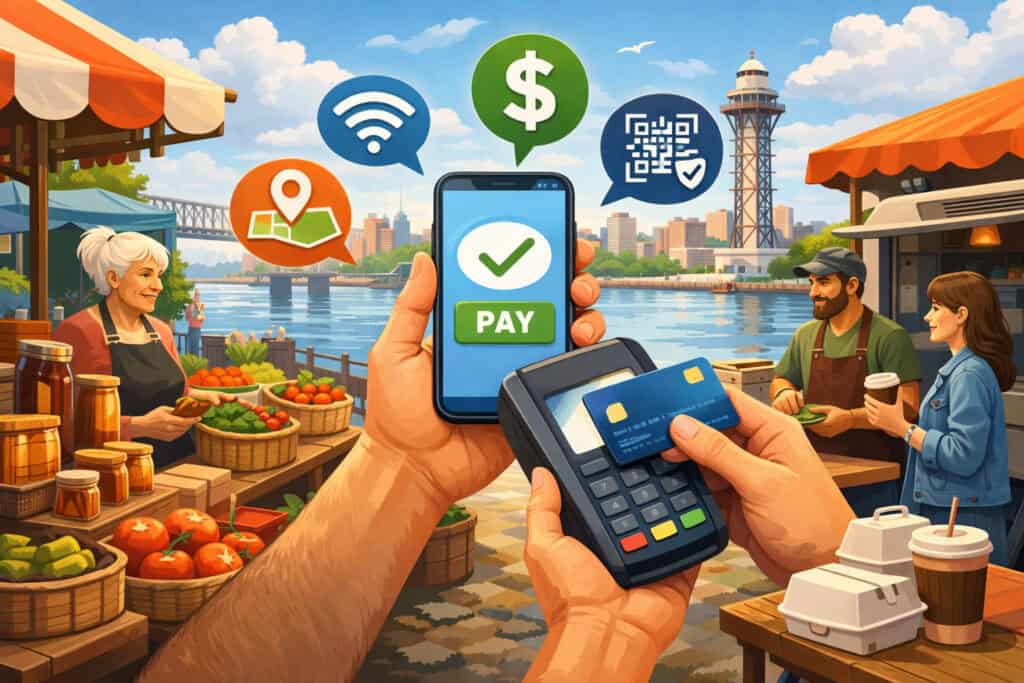
For Erie vendors, seasonality and event-driven sales are real. A warm weekend, a downtown festival, or a strong holiday market can compress a month’s worth of opportunity into a few hours.
In those moments, mobile payment solutions do two things that directly affect revenue: they reduce lines and they reduce lost sales. If you’ve ever watched a customer leave because they only had a card (or expected to tap their phone/watch), you’ve seen the cost of not having modern acceptance.
There’s also a trust factor. Customers increasingly view card and contactless acceptance as a baseline. When you offer tap-to-pay and digital receipts, you signal professionalism and reliability—important for higher-ticket purchases like artisan goods, specialty equipment, or multi-item food orders.
Operationally, mobile payment solutions help with end-of-day accounting. Cash can be fast, but it increases counting time, deposit runs, and shrink risk.
Digital payments reduce manual handling and create clean transaction records that can be exported for bookkeeping. And if your team includes seasonal staff, role-based access and device controls can tighten operational discipline.
Finally, modern mobile payment solutions are not just about taking money. They can support tipping prompts, inventory tracking, customer lists, and simple marketing tools.
When set up correctly, your payment system becomes a lightweight operating system for your vendor business—helping you sell more, waste less time, and make better decisions from actual transaction data.
Common Erie vendor scenarios and the mobile payment setup that fits each
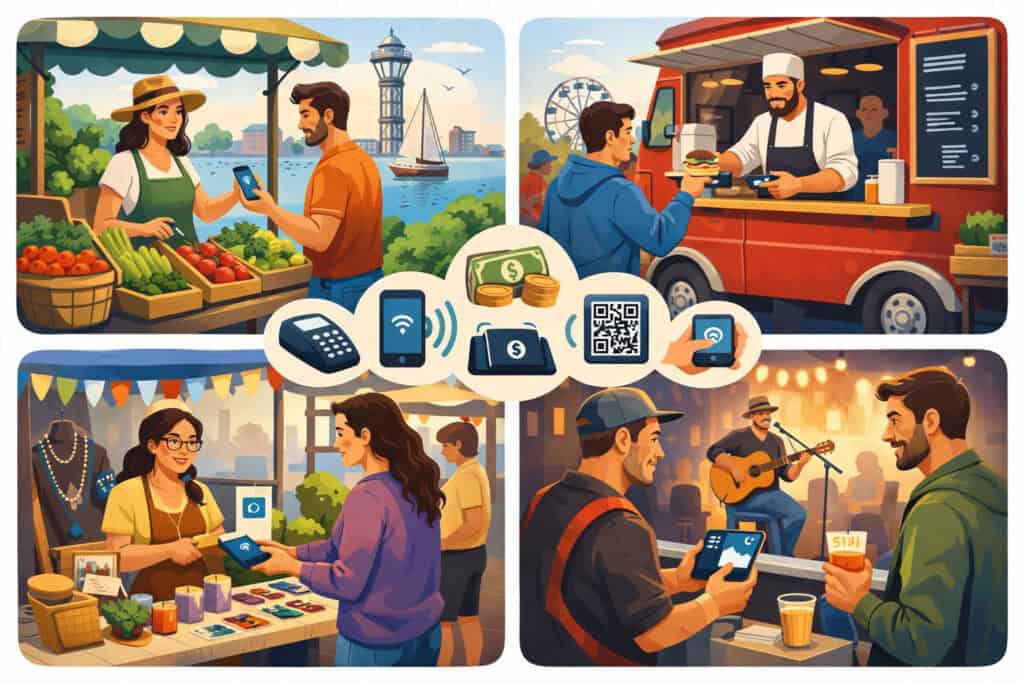
Different Erie vendors face different realities—so the “best” mobile payment solutions depend on your selling environment. For example, a farmers market vendor needs speed, sunlight-readable screens, and reliable cellular fallback.
A food truck needs high-throughput checkout, tipping, kitchen-friendly workflows, and offline resilience. A service provider (like a repair tech or mobile groomer) may need invoicing, deposits, and card-on-file billing rather than constant in-person swipes.
Pop-ups and makers often benefit from a smartphone-based setup with a small reader for chip and tap. This keeps hardware minimal while still supporting professional acceptance. These mobile payment solutions should include item catalogs (so you’re not typing prices repeatedly) and quick discounts.
Food vendors typically do better with a dedicated handheld POS or a phone + ruggedized case + stand, because spills and constant handling are real. You’ll want mobile payment solutions that support tips, modifiers, and fast order entry.
If you sell at regulated events or operate as a mobile food vendor, licensing and inspections matter—so a clean, consistent checkout workflow helps you stay organized during compliance checks.
On-site service businesses may need to send receipts by email/text, take deposits, and accept payment after the job is done. In that case, mobile payment solutions that include invoicing links, payment requests, and saved customer profiles can reduce delays and avoid awkward “I’ll mail a check” outcomes.
Core features to demand from mobile payment solutions for Erie vendors

When Erie vendors compare mobile payment solutions, it’s easy to focus only on rates. Rates matter, but the bigger cost is usually time, failed payments, and manual work. A strong solution should cover the whole selling cycle—from acceptance to reconciliation.
Start with payment acceptance breadth: chip cards, contactless (NFC), mobile wallets, and swipe support where appropriate. Customers increasingly expect tap, and tap reduces checkout time. Look for systems that support digital receipts and easy refunds.
Next is reliability. Erie vendors work in parks, waterfront areas, dense event crowds, and older buildings where signals can drop. Your mobile payment solutions should provide offline or “store and forward” options (with clear limits), plus easy switching between Wi-Fi and cellular. Even a short outage during a peak rush can wipe out a meaningful chunk of daily revenue.
Then consider catalog and pricing controls. Being able to create items, variants, modifiers, and quick buttons saves time and reduces errors. This matters for food menus, crafts with variations, and bundled services.
Also consider security and compliance support. Many vendors don’t want to think about payment security details, but your provider should follow modern standards and reduce your scope by using tokenization and secure devices. PCI Security Standards Council publications are a strong baseline for what “modern” means here.
Finally, demand exportable reporting. The best mobile payment solutions make it easy to track daily totals, tips, taxes, and product performance—so you can scale confidently.
Hardware options Erie vendors can choose: reader, handheld POS, or phone-only
Erie vendors usually fall into one of three hardware paths for mobile payment solutions: a phone + reader, a dedicated handheld POS, or phone-only tap acceptance.
Phone + reader is the most common entry setup. You use a smartphone app and pair a small device that accepts chip and contactless payments. This setup is affordable, portable, and strong for pop-ups. It also keeps you flexible if you sell in multiple places.
Handheld POS devices combine the screen, app, and reader in one unit—often with a barcode scanner option and stronger battery management.
For high-volume Erie vendors (busy food trucks, multi-staff booths), handheld units can reduce device chaos and speed up throughput. They also handle staff logins and workflow controls more cleanly.
Phone-only acceptance is getting more practical because “Tap to Pay on iPhone” and similar approaches let you accept contactless payments directly on a phone, depending on provider availability and supported apps.
Apple’s documentation emphasizes that payments are processed by your payment service provider and deposited to your configured account, which reinforces that the provider relationship still matters even when hardware is reduced.
For Erie vendors, the best choice often comes down to: transaction volume, environment durability, staff count, and how much you want to invest upfront. Many businesses start with phone + reader and upgrade to handheld POS once they consistently hit peak-volume constraints.
Tap to Pay phone checkout: when it’s a win and when it isn’t
Tap-to-pay phone checkout is one of the most important recent shifts in mobile payment solutions. Instead of carrying a separate reader, you can accept contactless payments using the phone itself—when supported by your provider and device capabilities.
For Erie vendors, this can be a major win in two cases. First, backup acceptance: even if your primary reader fails or runs out of battery, a phone can keep sales moving. Second, multi-lane selling: during rush periods, a second staff member can take payments on another phone to reduce lines.
However, phone-only acceptance isn’t always perfect. If you serve customers who still insert chip cards, you may still want a reader. Also, physical ergonomics matter: holding a phone steady for repeated taps can be awkward without a case or grip, especially in winter conditions when gloves and moisture add friction.
Apple’s Tap to Pay guidance makes it clear that your payment service provider’s app is central to processing and settlement—so Erie vendors should evaluate provider support, deposit timing, and fee structure just as seriously as they would for any other payment method.
The best approach for many Erie vendors is hybrid: treat Tap to Pay as an add-on capability within your broader mobile payment solutions, not necessarily a total replacement for readers.
Understanding pricing models: flat rate vs interchange-plus for Erie vendors
Pricing is where many vendors get trapped. Mobile payment solutions typically use either flat-rate pricing (simple but sometimes expensive at scale) or interchange-plus pricing (more transparent and often cheaper for established volume).
Flat rate means you pay a single percentage (and sometimes a per-transaction fee) regardless of the card type. This is easy to forecast and simple for startups. If your Erie vendor business is seasonal or low-volume, flat rate can be convenient and predictable.
Interchange-plus means you pay the card network interchange cost plus a consistent markup from your processor. This can be advantageous as you grow, especially if your average ticket is higher or you process more keyed-in or business cards. It also allows you to understand where costs come from, which helps when optimizing acceptance.
Beyond the rate, Erie vendors should look at:
- Monthly fees (software, device protection, reporting tiers)
- Chargeback fees
- Instant payout fees
- Hardware replacement terms
- Contract length and cancellation language
Sales tax and receipts: setting up mobile payment solutions to avoid compliance headaches
Erie vendors need clean receipts and accurate tax configuration because it directly affects customer trust and recordkeeping. Even if you use a simple checkout flow, you should configure your mobile payment solutions to handle tax consistently per item type and sales channel.
Start by confirming your applicable tax rules and how your products are categorized (for example, prepared food may be treated differently from certain grocery-type items). Then ensure your POS/app can:
- Apply tax automatically
- Display tax clearly on receipts
- Separate taxable and non-taxable items
- Export reports that summarize tax collected
When you’re ready to verify official tax references, Pennsylvania’s Department of Revenue provides current tax rate resources and references for state taxes, which can support correct setup decisions.
Receipts matter too. Digital receipts reduce paper costs and help customers with expense tracking. Printed receipts can still be useful for high-volume food lines or customers who want immediate proof.
A well-designed receipt template—business name, contact info, refund policy summary, and itemization—makes your Erie vendor brand feel established.
When mobile payment solutions are configured properly, tax and receipts become automatic. When they’re not, you end up fixing mistakes manually, which is one of the fastest ways to lose time during a busy season.
Mobile food vendors and events in Erie: operational notes that affect payments
If you’re a food vendor, your payment setup intersects with your operational compliance. Erie County’s Health Department handles licensing and inspection for many retail food facilities across the county, including mobile food vendors and vending operations.
That means your back-end organization—menus, labeling, receipts, and consistent recordkeeping—can make stressful days easier.
At the state level, mobile food facility licensing materials emphasize lead time and compliance requirements tied to food code rules. Even though these documents focus on food safety and licensing, they indirectly impact payments because the more organized your operation, the smoother your service line runs and the less likely you are to create chaos during peak traffic.
Here’s how this connects to mobile payment solutions in practice:
- Speed matters: a long line increases risk of mistakes and temp-control challenges for food handling.
- Item accuracy matters: modifiers and combos reduce cashier confusion.
- Receipts matter: clear itemization helps with customer disputes and operational tracking.
- Offline plans matter: events can overload cellular networks, so you need a fallback path.
Food vendors in Erie often see their biggest revenue during festivals and seasonal tourism spikes. In those conditions, your payment flow must be resilient. Your best move is to stress-test your mobile payment solutions before the first major event of the season: simulate a rush, practice refunds, verify tipping behavior, and confirm deposit timing.
Connectivity in the field: offline mode, hotspots, and resilience planning
A payment system is only as strong as its connectivity plan. Erie vendors sell in places where signal strength varies—especially during crowded events when many phones compete for bandwidth. That’s why resilient mobile payment solutions include more than one path to completion.
First, decide your primary connection: Wi-Fi (if you control it), cellular, or hotspot. If you rely on a hotspot, test it under load and keep it on a dedicated device rather than someone’s personal phone that might leave the booth.
Second, understand your provider’s offline behavior. Some mobile payment solutions allow transactions to be captured and processed later. This can save sales during brief outages, but it also introduces risk (for example, if a transaction later fails). Vendors should set internal limits: offline only for low-ticket items, or offline only for known regulars when possible.
Third, build a “failure kit”:
- Extra charging cables and battery packs
- A second device logged in and ready
- A printed QR code or sign for alternative payment methods (only if supported in your workflow)
- A simple script for staff: “We can take tap here; if the network drops, we’ll process in order once restored.”
Resilience planning turns mobile payment solutions from “sometimes works” into “reliably makes money.” In Erie’s event-heavy selling calendar, reliability is a competitive advantage.
Security, PCI, and fraud: how to stay protected without becoming an expert
Security is non-negotiable, but Erie vendors don’t need to become security engineers. The goal is to choose mobile payment solutions that reduce your risk and keep sensitive data out of your hands.
Modern systems use tokenization and secure hardware so you’re not storing card numbers. Your responsibilities then shift to practical controls: device passcodes, staff permissions, avoiding public/shared logins, and keeping software updated.
PCI DSS is the major industry standard framework for payment security. The PCI Security Standards Council maintains documentation and guidance around PCI DSS versions and supporting materials.
While vendors may not read every document, it’s useful to know that updated standards exist and providers align their tools around these expectations.
Fraud prevention tips Erie vendors can apply immediately with mobile payment solutions:
- Prefer chip and contactless acceptance over swipe when possible
- Require passcodes/biometric unlock on devices
- Use itemized receipts and clear refund policies
- Train staff on suspicious scenarios (overpayment, rush pressure, unusual refund demands)
- Keep a consistent “refund to original method” rule when feasible
Security done well is mostly about consistency. When your mobile payment solutions are configured with good defaults and your team follows a simple routine, you reduce fraud exposure and avoid operational stress.
Integrations that make mobile payment solutions more valuable: inventory, loyalty, and accounting
The biggest leap in vendor maturity happens when payments connect to the rest of the business. Erie vendors who scale often discover that the “hidden problem” isn’t taking payments—it’s tracking what sold, what’s left, and what you actually made after costs.
That’s where integrated mobile payment solutions matter. If your payment system can connect inventory, you can reduce sell-outs of best-sellers and avoid overproducing low performers.
If it supports customer profiles or simple loyalty, you can encourage repeat purchases across multiple events. And if it exports clean data to accounting tools, you reduce tax-season pain.
Here’s a practical Erie vendor approach:
- Use a simple item catalog with categories (fast checkout)
- Track top 10 sellers weekly during peak season (better stocking decisions)
- Capture emails only when it feels natural (digital receipts, opt-in)
- Export monthly reports and reconcile deposits (better cash-flow visibility)
The point is not to overcomplicate. The best mobile payment solutions give you “just enough” structure to learn from your sales patterns. Erie vendors who do this consistently tend to price better, stock better, and grow faster—because decisions are based on data rather than guesses.
Choosing a provider: a decision checklist Erie vendors can actually use
Selecting mobile payment solutions can feel overwhelming because every provider promises “fast and easy.” Erie vendors should choose based on operational fit, not marketing.
Use this checklist:
- Where will you sell? Markets, events, curbside, on-site service, indoor retail—your solution must match your environment.
- How fast is your rush? If you have 30-minute surges, speed and reliability matter more than feature depth.
- Do you need staff controls? If multiple people handle payments, you need logins and permissions.
- Do you need tax and item rules? Food modifiers and product variants require a stronger POS layer.
- How quickly do you need deposits? Cash flow matters for inventory-heavy vendors.
- What is your failure plan? Backup device, offline capability, and support access.
Also consider local operational needs. If you’re a mobile food vendor, licensing and inspection structures exist at the county level, and state materials emphasize meeting requirements and timelines. Being organized isn’t just good business—it supports compliance readiness.
A good provider fit makes mobile payment solutions feel invisible in the best way: customers pay quickly, staff feel confident, and you go home with clean numbers.
Step-by-step setup: launching mobile payment solutions without disrupting your next event
Erie vendors often wait until the last minute to configure checkout, then pay for it with delays and mistakes. A better plan is a simple staged rollout.
- Step 1: Build your item catalog: Add your best-selling items first, then expand. Use clear names and consistent pricing.
- Step 2: Configure taxes and tips: Decide tip prompts, default tip options, and whether tips appear on the customer screen. Set tax rules based on your selling categories and confirm reports show tax collected.
- Step 3: Prepare your devices: Update OS, lock screens, enable passcodes, and disable unnecessary notifications. Keep devices dedicated to sales during events.
- Step 4: Test every workflow: Run a sale, a refund, a discount, and a receipt send. Verify deposits and settlement times.
- Step 5: Train your “rush routine:” Staff should know: how to restart the app, how to switch networks, what to do if a payment fails, and how to keep the line moving.
- Step 6: Pack redundancy: Charger, battery, spare device login, and a simple sign explaining accepted payment types.
This approach makes mobile payment solutions predictable. When your setup is predictable, your customer experience becomes consistent—and Erie vendors with consistent checkout convert more walk-up traffic.
Future predictions for mobile payment solutions in Erie vendor businesses
The next wave of mobile payment solutions will be shaped by three forces: contactless adoption, phone-as-terminal growth, and smarter automation.
First, contactless will keep rising, which means Erie vendors who optimize tap acceptance will see faster lines and better conversion. Second, phone-as-terminal capabilities will expand—reducing dependence on extra hardware for many vendors.
Apple’s Tap to Pay documentation already frames the phone as a valid acceptance endpoint with the payment service provider still handling processing and deposit flows.
Third, automation will get more “vendor friendly.” Expect better inventory forecasting based on sales patterns, smarter staffing prompts during peaks, and more granular reporting that doesn’t require spreadsheet expertise.
For repeat-event vendors, customer lists and lightweight loyalty will become more common—especially as customers increasingly prefer digital receipts and account-based shopping history.
Security standards and expectations will continue evolving as well, which is why aligning with providers that track and implement current PCI guidance will matter. PCI SSC publications show the ongoing maintenance of PCI DSS documentation and tools, reflecting that “security” isn’t static.
For Erie vendors, the practical future-ready move is simple: choose mobile payment solutions that can scale from one device to multiple lanes, support contactless-first workflows, and keep your reporting clean as volume grows.
FAQs
Q.1: What are the best mobile payment solutions for Erie vendors who sell at markets and pop-ups?
Answer: The best mobile payment solutions for Erie vendors at markets are the ones that balance portability, fast checkout, and reliable connectivity. In most cases, that means a smartphone app paired with a chip-and-contactless reader, plus a backup plan like a second device or phone-based tap acceptance.
Look for quick item buttons, tax configuration, digital receipts, and clear reporting so you can reconcile deposits after a busy weekend.
You should also consider your environment. If you sell outdoors in colder months, battery performance and device handling matter. A rugged case, a stand, and a reliable charging setup can be just as important as the processor itself.
If your market gets crowded, choose mobile payment solutions that support offline capture or a strong cellular fallback plan so you don’t lose sales when the network is overloaded.
Finally, don’t underestimate workflow simplicity. A solution that your staff can learn quickly will outperform a more complex system during peak rush.
Q.2: Do Erie food vendors need anything special in their payment setup?
Answer: Food vendors in Erie should prioritize speed, tipping prompts, and menu modifiers. The bigger difference is operational: food vendors often operate within licensing and inspection frameworks at the county level, and state-level retail food facility rules apply for mobile food facilities.
While those rules aren’t “payment rules,” your checkout organization can support smoother operations during compliance-focused days.
In practical terms, choose mobile payment solutions that let you build a clear menu, print or text receipts quickly, and reduce cashier mistakes. If you do festivals, plan for network congestion and keep redundancy (backup device, battery, and a second acceptance method) so you can keep serving when connectivity dips.
Q.3: Are phone-only tap payments safe for vendors?
Answer: Yes—when you use reputable mobile payment solutions supported by a legitimate payment service provider and you follow basic device security. Apple’s Tap to Pay guidance emphasizes that transactions are processed by the payment service provider and deposited to your connected account, which reinforces that provider security infrastructure is central.
Your job is to keep devices locked, updated, and used only by trained staff. Also remember: phone-only tap acceptance is contactless-only, so if many customers prefer chip insert, you may still want a reader as part of your mobile payment solutions stack.
Q.4: What should I do if my payments fail during a crowded Erie event?
Answer: First, switch networks: move from Wi-Fi to cellular or to a hotspot. Second, try a backup device if you have one pre-configured. Third, use your provider’s offline mode if it’s available and you understand the risks and limits.
The best approach is to plan this before the event: test your mobile payment solutions under load, bring power backups, and train staff on a simple failure routine.
If events are a major revenue source for you, consider upgrading your hardware, adding a dedicated hotspot, or using multi-lane checkout so you’re not dependent on a single device during peak traffic.
Q.5: How do I keep mobile payment solutions costs low as I grow?
Answer: Start by matching pricing to your volume. Flat-rate pricing can be fine early on, but as you grow, it’s worth comparing interchange-plus options and evaluating monthly software fees.
Also reduce operational costs: fewer refunds due to item mistakes, fewer failed payments, and less manual bookkeeping. The “total cost” of mobile payment solutions includes time and errors, not just the processing rate.
Finally, keep your stack lean. Don’t pay for advanced features you won’t use. Add inventory, loyalty, or advanced reporting only when it solves a real problem in your Erie vendor business.
Conclusion
The right mobile payment solutions help Erie vendors do one thing exceptionally well: convert customer intent into completed sales, anywhere you set up. When your checkout is fast, reliable, and professional, you reduce friction, shorten lines, and build trust—especially during peak seasons and crowded events.
To win with mobile payment solutions, think beyond the reader. Choose a setup that matches your selling environment, supports contactless-first behavior, and includes a real resilience plan for connectivity and power.
Configure taxes and receipts early, train your rush routine, and use reporting to learn what actually sells. If you operate as a food vendor, organization matters even more because local and state licensing structures exist and your operational discipline affects how smoothly you run.
Finally, future-proofing is about flexibility: phone-based tap acceptance, scalable device counts, modern security alignment, and clean data exports. Erie vendors who treat payments as a core business system—not an afterthought—tend to grow faster, waste less time, and keep customers coming back because buying from them feels easy.