By alphacardprocess March 9, 2026
Every sale depends on a payment experience that works the way customers expect. Whether you run a retail shop near downtown Erie, manage a busy restaurant, operate a contracting business, or provide professional services by appointment, your payment setup affects cash flow, customer satisfaction, staff efficiency, and day-to-day operations.
That is why a payment processing checklist for Erie business owners is so valuable. It helps you look beyond the sales pitch and focus on what actually matters for your business: the types of payments you need to accept, the tools your team will use, the fees you will pay, the support you can count on, and the workflow you are trying to build.
A strong setup should make it easier to get paid, easier to serve customers, and easier to manage your back office without adding unnecessary complexity.
This guide walks through the core parts of payment processing for Erie businesses and gives you a practical framework you can use whether you are opening a new business, reviewing an existing setup, or considering a switch.
You will learn how merchant accounts, payment processors, gateways, POS systems, card readers, virtual terminals, and invoicing tools work together. You will also learn what to review in pricing, contracts, security, reporting, deposit timing, and customer support so you can make a confident decision.
Why Erie Business Owners Need a Payment Processing Checklist
A payment setup is not just a technical decision. It is an operational decision that touches almost every part of your business. The way you accept cards, mobile wallets, online payments, invoices, and recurring payments influences the customer experience from the first transaction to the final receipt.
It also affects your monthly costs, your speed of funding, and how much time your team spends solving avoidable problems.
That is why a checklist matters. Many business owners compare only headline rates, but a low advertised percentage does not tell you whether the system fits your business model. A retail store with a countertop terminal has different needs from a service business that takes deposits over the phone.
A restaurant needs workflow features that a healthcare office may not. An eCommerce seller may care more about gateway performance and fraud settings, while a contractor may care more about invoicing, mobile readers, and same-day payment access.
Using an Erie merchant services checklist helps you slow down and evaluate the full picture. Instead of choosing a provider based on price alone, you can look at hardware, software integrations, online payment tools, reporting, chargeback processes, and contract terms. That kind of review reduces surprises later.
It also helps growing businesses avoid expensive rework. If you choose a system that cannot support online ordering, recurring billing, loyalty tools, or inventory integration, you may end up replacing it sooner than expected. A checklist keeps your decision grounded in current needs while also leaving room for growth.
A checklist helps you match payment tools to real business operations
The biggest advantage of a checklist is that it connects payment decisions to the way your business actually runs. Many providers offer a wide range of equipment and features, but not every option is useful for every business. Without a structured review, it is easy to pay for tools you will never use or miss a feature that becomes essential later.
For example, a boutique may need a full POS and payment setup checklist that covers barcode scanning, inventory tracking, gift cards, and digital receipts. A local contractor may need simple mobile payment tools, estimate-to-invoice functionality, and the ability to key in card payments securely when clients call.
A professional office may prioritize recurring billing, integrated invoicing, and strong reporting for reconciliation. When you use a checklist, you evaluate the setup based on workflow, not marketing language.
This matters because payment systems sit at the intersection of sales, customer service, bookkeeping, and operations. If the system slows down checkout, creates duplicate data entry, or makes reporting harder, you will feel that friction every day. A checklist brings those practical issues to the surface before you sign an agreement.
It reduces the risk of hidden costs and poor-fit provider agreements
Another reason Erie business owners benefit from a structured review is that payment agreements are not always easy to compare at a glance. One provider may emphasize transaction rates.
Another may focus on bundled equipment. Another may include software features but charge extra for gateway access, PCI-related services, statement fees, or support upgrades. Looking at one number alone does not reveal the true cost of ownership.
A checklist helps you compare the full cost structure line by line. That includes transaction fees, monthly account fees, terminal costs, PCI-related fees, chargeback fees, gateway fees, cancellation terms, and equipment replacement costs.
It also pushes you to ask whether pricing is flat-rate, interchange-plus, tiered, subscription-based, or tied to specific acceptance channels.
This kind of discipline matters even more when you are reviewing credit card processing for Erie businesses that operate across multiple channels. In-store payments, online checkout, recurring invoices, and manually entered transactions can all be priced differently.
A checklist helps you see where your real costs are likely to land based on how you accept payments day to day.
The Core Components of a Payment Processing Setup
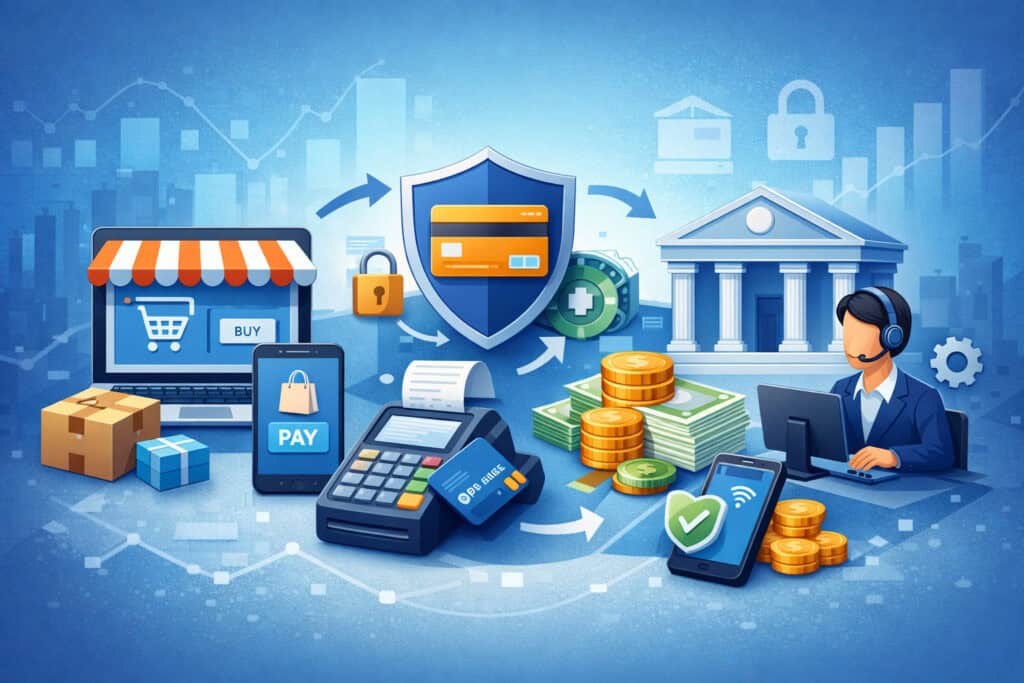
A business payment system usually includes more than one service or device. Even when a provider offers everything under one brand, there are still separate components working together behind the scenes. Understanding these core elements makes it easier to compare options and avoid buying the wrong mix of tools.
At the center of most setups is the ability to accept card payments securely and route transaction data for approval. That process may involve a merchant account, payment processor, gateway, POS system, card reader, or virtual terminal.
Depending on your business, you may also need invoicing tools, recurring billing features, eCommerce checkout options, customer management features, and reporting dashboards.
Thinking in components helps you avoid a common mistake: assuming all payment systems are basically the same. They are not. Some are built for in-person sales. Some are stronger for online transactions.
Some are better for service businesses that bill after work is completed. Some prioritize restaurant workflows, while others fit field-based teams or appointment-driven businesses.
When you understand the moving parts, you can build a better card processing checklist for small businesses and make smarter decisions about what you truly need.
Merchant accounts, processors, and gateways: what each one does
A merchant account is the account structure that allows your business to accept card payments and receive funds from approved transactions. In some models, you get a dedicated merchant account.
In others, especially with certain all-in-one platforms, your business may operate under an aggregated structure. Either way, this part of the system is what supports the acceptance of card payments.
The payment processor handles the transaction flow. It helps route the payment information for authorization and settlement. When a customer taps, dips, swipes, or enters card details online, the processor is one of the main services involved in moving that transaction through the approval process.
A payment gateway is especially important for online transactions, virtual terminals, and other digital payment acceptance methods. It securely transmits payment information from the checkout environment to the processor.
If your business accepts payments through a website, online invoice, or manually keyed transaction interface, gateway functionality matters a lot.
For Erie business payment solutions, these components may come from a single provider or from multiple connected services. What matters is that they work smoothly together and support your acceptance channels.
POS systems, card readers, virtual terminals, and invoicing tools
The customer-facing and staff-facing side of your setup often starts with hardware and software. A point-of-sale system does more than take payments.
It may also manage items, pricing, taxes, customer records, employee permissions, inventory, tips, discounts, and receipts. For many local business payment systems, the POS becomes the operating hub of the front counter.
Card readers and terminals are the physical devices used to accept in-person payments. These can include countertop terminals, wireless terminals, mobile readers, or smart devices with integrated software.
Some businesses need only a basic card machine. Others need a full register system with multiple stations, kitchen printing, inventory sync, or appointment scheduling.
A virtual terminal allows staff to enter payment details manually through a secure browser-based interface. This is especially useful for service businesses, offices, and companies that take payments by phone.
Invoicing tools let you send bills electronically, accept payments from links, and sometimes enable deposits, installment payments, or recurring billing.
These tools should fit the way your team works. A business payment workflow checklist should consider whether you need fixed checkout stations, on-the-go acceptance, remote invoicing, or a mix of all three.
Why different business types need different payment combinations
Not every Erie business needs the same payment stack. A clothing store may need inventory-linked POS tools, barcode scanning, and gift card support. A restaurant may need tableside devices, tip adjustment, kitchen communication, and split-ticket features.
A contractor may need mobile readers, invoice links, and a virtual terminal for office collections. A healthcare office may need recurring billing, payment plans, and secure reporting for account balances.
Professional firms often need invoice-based billing, card-on-file tools, and reliable reconciliation reports. eCommerce sellers usually need strong online checkout performance, gateway tools, order tracking, and fraud controls. Hybrid businesses need systems that connect in-person and online sales under one reporting structure.
That is why payment processing requirements for local merchants should always be reviewed in the context of industry and workflow. A general solution may work, but a better-fit solution can save time, reduce friction, and improve the customer experience.
Payment Processing Checklist for Choosing the Right System
If you want a practical framework, start here. This section is the heart of a payment processing checklist for Erie business owners because it focuses on the questions that most directly shape your setup.
A good system should fit your sales channels, serve your customers well, support your staff, and help you keep operations organized.
Begin by listing how you accept payments today. Then list how you want to accept payments in the near future. Think about in-store sales, mobile payments, online checkout, recurring billing, invoice collection, and keyed transactions.
A mismatch between your payment tools and your real business activity often leads to higher costs, slower service, and workarounds that frustrate your team.
Next, review the features and hardware needed to support those payment channels. Then consider reporting, funding speed, support responsiveness, and software integration needs. The goal is not to chase the longest feature list. The goal is to build the right setup for your business with as little friction as possible.
Checklist item: accepted payment methods and customer convenience
Start with the customer side of the transaction. What payment methods do your customers expect to use? Most businesses today need to think beyond traditional card acceptance.
Debit cards, credit cards, contactless payments, digital wallets, online checkout methods, card-not-present options, and invoice links can all matter depending on the type of business you run.
For in-person businesses, make sure your equipment supports tap, dip, and swipe transactions. For service businesses, make sure you can send payment links or invoices that customers can pay without difficulty.
For businesses that take deposits or installment payments, confirm that the system supports partial payments or card-on-file functionality if needed. For online sellers, check that the checkout process is smooth across desktop and mobile devices.
Convenience matters because payment friction can cost you sales. If customers cannot pay the way they prefer, some will delay, abandon the transaction, or choose a competitor. That is why Erie payment acceptance options should be part of your first review step, not an afterthought.
Use this part of your checklist to ask:
- What payment methods do customers ask for most often?
- Do you need in-person, online, mobile, and invoice payments?
- Do you need recurring billing or stored payment credentials?
- Do you need digital receipts or payment links?
- Can the setup support future expansion into new sales channels?
Checklist item: hardware, software, and integration needs
Once you know how you need to accept payments, the next step is figuring out what tools support that process. Some businesses need only a basic countertop terminal.
Others need a complete POS with inventory, staff permissions, customer profiles, and multi-location reporting. Still others need mobile readers that sync with office software or invoicing systems.
This is where many owners underestimate the importance of integration. If your payment tools do not connect to your business software, staff may have to re-enter data into accounting systems, scheduling platforms, inventory tools, or customer databases. That creates more work and more room for mistakes.
Your POS and payment setup checklist should include hardware durability, ease of use, software compatibility, receipt options, internet requirements, and user permissions. If your business operates in the field or at events, mobility and battery life may matter. If you have multiple staff roles, access controls and transaction visibility may matter more.
For payment processing for Erie businesses, the right hardware and software mix should support both customer service and internal efficiency. A slightly more capable system can be worth the investment if it reduces manual work and gives you cleaner reporting.
Checklist item: online payments, invoicing, and remote collection
Even businesses that primarily operate in person often need remote payment tools. Customers may want to pay deposits in advance, settle invoices after service, place online orders, or call in payments. A flexible payment system should support those use cases without forcing you to bolt on separate tools that do not communicate well with each other.
If you send invoices, review whether the platform allows branded invoices, partial payments, recurring billing, automatic reminders, and easy payment links.
If you accept online orders or service requests, review the online checkout flow, mobile responsiveness, and integration with your website or business management platform. If you take payments by phone, ask about virtual terminal access and the related pricing.
These features are particularly important for contractors, consultants, healthcare offices, home service providers, and professional firms. They help reduce collection delays and improve the customer experience. They can also help smooth cash flow by making it easier for clients to pay quickly.
A strong business payment workflow checklist should include how invoices are created, sent, tracked, paid, and reconciled. That process is often just as important as the in-store transaction flow.
Costs, Fees, and Contract Terms to Review Carefully
Pricing is one of the most misunderstood parts of payment processing. Many business owners focus on the quoted rate and assume that tells the whole story.
In reality, total cost depends on your pricing model, transaction mix, acceptance channels, monthly service fees, equipment costs, and contract terms. To compare providers accurately, you need to review the entire pricing structure, not just the most visible number on the proposal.
This matters for both new setups and provider reviews. If your current system feels expensive, the issue may not be the processor alone.
It may be the combination of manually entered transactions, online gateway fees, outdated equipment leases, multiple software subscriptions, or avoidable PCI-related charges. A careful review can reveal whether you need a new provider, a better pricing model, or simply a cleaner setup.
Credit card processing for Erie businesses should be evaluated based on real monthly activity, not generic estimates. The more specific you are about how you process payments, the easier it is to compare actual cost.
Transaction fees, monthly fees, and equipment costs
Transaction pricing usually varies based on how payments are accepted. In-person card-present transactions may be priced differently from online payments, invoice payments, or manually entered transactions.
The pricing model itself also matters. Flat-rate pricing may be easy to understand, while interchange-plus or subscription-style pricing may provide a different cost structure depending on your sales volume and average ticket.
Beyond transaction fees, review all fixed monthly charges. These can include statement fees, monthly minimums, support fees, software subscriptions, gateway fees, batch fees, platform fees, or account maintenance fees. Even small charges add up over time, especially if you are using multiple payment tools from different vendors.
Then look at equipment. Are you buying hardware outright, renting it, or entering a longer equipment agreement? Is the device locked to one platform? What happens if it breaks? Is there a replacement fee? If you need multiple terminals, handheld devices, or POS stations, equipment decisions can shape the overall economics of your system.
A payment processor comparison for Erie businesses should always include a side-by-side review of variable and fixed costs, not just percentages.
PCI-related fees, chargebacks, and gateway charges
Security-related and exception-related charges are often overlooked during the sales process, yet they can significantly affect your total cost. Some providers charge PCI-related fees, non-compliance fees, annual compliance fees, or bundled security service fees. It is important to understand exactly what is included and what triggers extra charges.
Chargebacks are another area to review carefully. Ask how disputes are handled, what each chargeback costs, what tools are available for response management, and whether the provider offers alerts or documentation support.
Even if your business has low dispute volume, the process matters because chargebacks can consume time and create cash flow interruptions.
Gateway charges also deserve close attention, especially for online sellers and service businesses using invoice links or virtual terminals. You may see monthly gateway fees, per-transaction gateway fees, tokenization fees, or charges for advanced fraud tools. Some platforms bundle these costs while others list them separately.
Payment processing requirements for local merchants should include clarity around these less-visible fees. A lower base rate may not be the better deal if the overall structure is harder to manage or contains more surprises.
Contract length, cancellation terms, and pricing language
Before signing anything, read the agreement carefully. Contract structure can be just as important as price. Some providers offer month-to-month flexibility.
Others use longer terms with early cancellation clauses, auto-renewal language, or equipment obligations that outlast the service itself. You should know exactly how the agreement ends, how notice must be given, and whether any fees apply if you switch later.
Also pay close attention to pricing language. Is the quoted rate fixed or subject to change? Does the agreement explain markup clearly? Are certain card types or acceptance methods excluded from the headline rate? Are support, software, gateway tools, or PCI services bundled or separate? The clearer the agreement, the easier it is to plan.
This step is especially important when reviewing an Erie merchant services checklist because many frustrations come not from daily transactions but from unpleasant surprises buried in the terms. A provider relationship should feel straightforward, not confusing.
Features and Tools Local Businesses Should Prioritize

A good payment system should do more than approve transactions. It should support the way your business operates, help staff work faster, reduce manual tasks, and make it easier for customers to pay. The best feature set is not the one with the most tools. It is the one that matches your workflow, sales channels, and growth plans.
For some businesses, that means a robust POS. For others, it means flexible invoicing, recurring billing, and strong reporting. For many Erie businesses, the ideal setup is one that combines in-person and remote payment tools without making the back office more complicated.
When reviewing Erie business payment solutions, focus on features that improve efficiency, visibility, and customer convenience. A clean payment experience at the front end often leads to less administrative work at the back end.
Reporting, reconciliation, and visibility into your cash flow
One of the most useful but underappreciated parts of a payment system is reporting. Your payment platform should help you see what you sold, how customers paid, when funds were deposited, and where exceptions or mismatches occurred. Without clear reporting, reconciliation becomes slower and more error-prone.
Review how transactions are categorized and how reports can be filtered. Can you separate in-store, online, invoiced, and mobile payments? Can you track refunds, voids, tips, discounts, and chargebacks clearly? Can multiple team members access the reports they need without giving everyone full admin control? These details matter when you are closing the books, checking deposits, or reviewing staff activity.
Reporting is especially important for businesses that operate in more than one channel. If your retail store also sends invoices or accepts online orders, your local business payment systems should ideally provide a unified view. Fragmented reporting often creates confusion and delays.
A strong reporting setup helps you move from guessing to knowing. It also makes it easier to spot trends, audit issues, and manage cash flow with more confidence.
Customer support, onboarding, and issue resolution
Customer support may not seem like a feature until something goes wrong. Then it becomes one of the most important parts of your payment setup. A terminal issue during peak business hours, a gateway outage during an online promotion, or an urgent question about deposits can disrupt operations quickly.
When comparing providers, ask how support works in practice. Is help available when your business is actually open? Is support handled by knowledgeable teams or routed through general service centers? Is onboarding included? Will someone help with setup, device configuration, and staff training? How are disputes, chargebacks, and technical issues escalated?
This matters for both new businesses and established ones making a switch. Smooth implementation reduces downtime and helps staff feel more comfortable using the system. Ongoing support protects your operations when unexpected problems arise.
Security tools, staff permissions, and checkout experience
Security and usability need to work together. Your payment setup should support secure transactions while still keeping checkout simple for staff and customers. A complicated process creates training issues, longer lines, and more mistakes. A weak process can create unnecessary risk.
Look for tools that support secure payment handling across your acceptance channels. That may include encrypted devices, secure online checkout, tokenization, user permissions, audit trails, and account access controls.
For teams with multiple employees, permission settings are especially important. Cashiers, managers, and back-office staff may need different access levels.
Also review the checkout experience itself. Is the flow intuitive? Can customers tap and go? Are receipts easy to send by text or email? Can tips be handled smoothly where relevant? Does the invoice payment page feel simple and trustworthy? These details affect how customers experience your brand, especially during the final step of a sale.
Common Mistakes Erie Business Owners Should Avoid
Even strong businesses can end up with weak payment setups if they make decisions too quickly or evaluate providers too narrowly. Most mistakes are not dramatic. They are practical errors that lead to higher costs, operational friction, and systems that no longer fit the business a year later.
The good news is that these mistakes are avoidable. A careful review process helps you see where the common traps are and make better choices from the beginning. If you already have a system in place, this section can also help you audit your current arrangement and identify upgrade opportunities.
Choosing based only on the advertised rate
The most common mistake is choosing a provider based only on a headline rate. That number may look appealing, but it rarely tells the full story.
It does not explain how keyed transactions are priced, whether monthly fees apply, what the gateway costs, whether PCI-related services are extra, or how chargebacks are handled. It also does not tell you whether the system fits your actual workflow.
A low rate can become expensive if the provider lacks useful invoicing tools, charges extra for basic support, or requires multiple add-ons for online payments and reporting. Similarly, a system that looks inexpensive at first can create indirect costs through poor integrations and more manual work.
This is why a card processing checklist for small businesses should always include total cost of ownership, not just transaction percentages. Real value comes from fit, clarity, and operational efficiency.
Overlooking future growth and multi-channel needs
Another common mistake is choosing a system that fits only the business you have today, not the business you are building. Maybe you currently accept only in-store payments, but next year you want online ordering, digital invoices, or recurring billing. Maybe you are adding a second location, hiring more staff, or expanding into events and mobile sales.
If your payment tools cannot grow with you, you may end up migrating sooner than expected. That can mean new hardware, new training, new integrations, and more disruption than necessary. A better approach is to choose a platform that handles today’s needs well and has room for reasonable expansion.
For payment processing for Erie businesses, future-proofing does not mean overbuying. It means asking whether the provider can support likely next steps without forcing a full rebuild of your payment environment.
Ignoring workflow friction, staff training, and reconciliation
Business owners sometimes focus on customer-facing features and forget the internal side of payment operations. But staff experience matters too. If checkout steps are confusing, if invoice tracking is scattered, or if deposits are hard to reconcile, those problems show up daily in wasted time and frustration.
Training is another overlooked area. A powerful system is only helpful if staff know how to use it correctly. Review how refunds, tips, voids, invoice payments, mobile transactions, and end-of-day procedures are handled. Make sure those tasks are easy to learn and clearly documented.
Reconciliation is equally important. If payment data does not line up cleanly with deposits and internal records, accounting work becomes harder. A smart Erie merchant services checklist should include front-end ease and back-end clarity.
How to Compare Providers and Make a Confident Decision
Comparing payment providers can feel difficult because proposals are not always presented in the same format. One provider may emphasize rates. Another may emphasize equipment. Another may bundle software in ways that make direct comparison harder.
The best way to make a confident decision is to create a structured side-by-side review based on your actual business needs.
Start by documenting your transaction channels, average ticket size, monthly volume, and must-have features. Then use that information to ask each provider the same questions. This makes the comparison more objective and helps you spot differences that might otherwise be buried in the details.
A payment processor comparison for Erie businesses should go beyond price and look at fit, support, flexibility, and day-to-day usability. A strong provider should be able to explain how their system works in practical terms, not just sales language.
Build a side-by-side comparison using your own business data
To compare providers well, use your own numbers whenever possible. Estimate how much of your volume is in person, how much is online, how much is invoiced, and how much is manually entered.
List your average transaction amount, your busiest periods, and any seasonal shifts that matter. Then ask providers to map their pricing and features to that real usage.
Do the same with hardware and software. List exactly what you need: terminals, printers, mobile devices, POS stations, invoice tools, virtual terminal access, recurring billing, inventory features, or accounting integrations. This turns the comparison from a general sales conversation into a business-specific review.
Create a simple checklist or comparison sheet with categories such as:
- Pricing structure
- Monthly fees
- Hardware costs
- Online payment tools
- Invoicing and recurring billing
- Support availability
- Reporting quality
- Contract terms
- Deposit timing
- Security and permissions
This method helps you evaluate providers on a level field and reduces the chance of choosing based on presentation quality alone.
Ask direct questions about support, deposits, and implementation
Beyond the proposal, ask operational questions that reveal how the relationship will work after the contract is signed. How quickly are funds deposited? Are weekends or holidays treated differently? What support hours are available? How long does setup usually take? Who handles installation and training? What happens if a device fails?
Ask about migration too. If you are switching from another system, find out how customer data, inventory, recurring billing, or reporting history will be handled if those items matter to your business. A provider that can explain implementation clearly is usually easier to work with later.
This is especially important for merchant account setup for local businesses that cannot afford much downtime. A system change should feel managed, not chaotic.
Read the agreement carefully before you commit
Once you narrow the field, review the paperwork with care. Confirm the pricing terms, contract length, cancellation language, equipment obligations, support terms, and any recurring software charges.
If something was promised verbally, make sure it appears in writing or is clearly reflected in the agreement structure.
This step protects you from misunderstandings and gives you a firmer foundation for decision-making. Trustworthy providers should be willing to explain the agreement clearly and answer practical questions without pressure.
For Erie business owners, confidence comes from clarity. A good provider relationship should feel transparent from the beginning.
Best Practices for Building a Smoother Payment Workflow
A payment system should not exist as a collection of disconnected tools. It should function as a workflow that makes it easy for customers to pay and easy for your team to manage transactions from start to finish. That means thinking about the entire payment journey, not just the moment a card is tapped or entered.
A smoother workflow improves customer convenience, reduces collection delays, strengthens reporting, and cuts down on avoidable administrative work. Whether you are setting up payments for the first time or auditing an existing system, workflow design deserves attention.
Make it easy for customers to pay in every common scenario
Start by identifying the most common ways customers pay you. In-store at the counter? Through invoices? By phone? On a mobile device in the field? Through online checkout after hours? Your payment setup should support those common scenarios without friction.
Retail businesses may focus on fast checkout, tap payments, and digital receipts. Restaurants may need tip handling and speed during rush periods. Contractors may need mobile card readers and invoice links sent from the job site.
Professional firms may need simple online payment portals for retainers and balances due. eCommerce sellers need a checkout experience that feels smooth on every device.
The easier it is to pay, the more likely customers are to complete the transaction quickly. That helps both service quality and cash flow.
Standardize staff processes and daily reconciliation
A smoother payment workflow also depends on consistent staff procedures. Your team should know how to start and end the day, accept different payment types, issue refunds, handle tips where relevant, resend receipts, process invoices, and respond to common payment questions. Consistency reduces errors and makes training easier as your team grows.
Document the daily and weekly tasks tied to payments. That may include batch review, deposit checks, refund tracking, exception review, invoice follow-up, and reconciliation against internal records. Clear routines help prevent small issues from turning into larger financial headaches.
This is where a business payment workflow checklist becomes extremely practical. It turns payment operations from a reactive task into a repeatable system.
Review performance regularly and adjust as your business evolves
Your payment setup should not be a one-time decision. Business needs change. Customer preferences change. Sales channels expand. New operational challenges appear. Reviewing your system periodically helps you spot opportunities to improve efficiency, reduce cost, or add useful capabilities.
Set a schedule to review payment costs, transaction mix, reporting clarity, staff feedback, customer complaints, chargeback activity, and software fit. You may discover that your current setup is working well. You may also find that one or two changes could improve the entire process.
For Erie payment acceptance options, flexibility matters. The best setup is the one that continues to support your business as it changes rather than locking you into unnecessary complexity.
Frequently Asked Questions
Q.1: What is a payment processing checklist for Erie business owners?
Answer: A payment processing checklist for Erie business owners is a practical review tool used to evaluate how a business accepts payments and what it needs from a provider.
It helps you compare payment methods, equipment, software, pricing, reporting, support, security, and contract terms so you can choose a setup that fits your operations. Instead of focusing only on rates, the checklist helps you make a more complete and useful decision.
Q.2: What should be included in an Erie merchant services checklist?
Answer: A strong Erie merchant services checklist should include accepted payment methods, merchant account structure, processor pricing, gateway access, POS needs, card reader options, invoicing tools, recurring billing features, reporting, deposit timing, support availability, PCI-related charges, chargeback handling, contract length, and cancellation terms.
It should also include integration needs with accounting, scheduling, inventory, or eCommerce tools if those matter to your business.
Q.3: Do all Erie businesses need a full POS system?
Answer: No. Some businesses need a full POS system, while others may only need a terminal, mobile reader, virtual terminal, or invoicing platform. A retail store or restaurant often benefits from a POS because of inventory, checkout flow, and staff features.
A contractor, consultant, or small service business may need something simpler. The right setup depends on how your business operates and where payments are collected.
Q.4: How can I compare credit card processing for Erie businesses fairly?
Answer: The best way to compare credit card processing for Erie businesses is to use your own transaction data and workflow needs. Ask each provider to quote pricing based on your actual mix of in-person, online, invoiced, and manually entered payments.
Compare monthly fees, equipment costs, software charges, chargeback fees, and contract terms alongside support, reporting, and implementation quality. That gives you a much clearer picture than comparing rates alone.
Q.5: What payment methods should local businesses accept today?
Answer: Most local businesses should be prepared to accept debit cards, credit cards, tap payments, chip cards, and digital wallet payments for in-person sales.
Depending on the business model, online payment links, eCommerce checkout, recurring billing, and invoice payments may also be important. The right mix depends on customer behavior, ticket size, and whether you sell in person, online, on the go, or through scheduled billing.
Q.6: Why do manually entered and online transactions often cost more?
Answer: Manually entered and online transactions are commonly priced differently because they carry different risk and processing requirements than in-person card-present transactions.
That is why it is important to understand your transaction mix before choosing a provider. If your business relies heavily on invoices, phone payments, or eCommerce, you should compare pricing specifically for those channels instead of relying on an in-person rate quote.
Q.7: How often should I review my current payment setup?
Answer: Review your setup at least once a year, and sooner if your business model changes. A review is especially helpful if you add online sales, start sending more invoices, expand locations, adopt new software, or notice rising costs and workflow issues.
Regular reviews help ensure your payment processing for Erie businesses remains aligned with how your company actually operates.
Conclusion
Choosing the right payment system is not just about accepting cards. It is about creating a payment experience that supports your customers, your staff, and your business goals.
A thoughtful payment processing checklist for Erie business owners helps you evaluate the full picture, from merchant accounts and gateways to card readers, invoicing tools, reporting, contract terms, and customer support.
The most effective approach is to start with your real workflow. Look at how you get paid in person, online, in the field, and through invoices. Review the hardware and software your team needs.
Compare providers based on total cost, practical fit, implementation quality, and long-term flexibility. Read agreements closely, ask direct questions, and do not let the decision rest on advertised rates alone.
Whether you are launching a new company, replacing an outdated system, or auditing your current provider, the right setup should make payments easier to accept, easier to manage, and easier to reconcile.
When your system matches the way your business actually operates, you create a stronger customer experience while keeping costs and complexity under control.