By alphacardprocess March 9, 2026
Starting a business in Erie comes with a long list of decisions, and one of the most important is how you will get paid. Customers expect fast, flexible, and reliable payment options whether they shop in person, pay an invoice, order online, or call to place an order.
A weak setup can slow down sales, frustrate customers, create accounting headaches, and make day-to-day operations harder than they need to be.
A strong payment setup does much more than process credit cards. It helps you manage cash flow, track sales, reduce manual work, support growth, and create a smoother customer experience from day one.
For many owners, the right tools can also help with receipts, reporting, inventory, invoicing, recurring billing, and customer management.
This payment processing setup guide for new Erie business owners explains what payment processing actually means, which tools you may need, how to set up payment processing in Erie PA step by step, what fees to watch for, and how to choose a solution that fits your type of business.
Whether you run a retail shop, restaurant, contractor business, healthcare office, professional firm, or online store, this guide will help you make smart decisions with more confidence.
What Payment Processing Means for New Erie Businesses

Payment processing is the system that allows your business to accept card and digital payments from customers. At a basic level, it moves money from the customer’s payment method to your business bank account.
Behind that simple moment at checkout is a chain of tools and service providers working together to authorize, route, secure, and settle the payment.
For new business owners, payment processing can feel more complicated than it should. Terms like merchant account, payment gateway, processor, POS system, virtual terminal, and PCI compliance often get thrown around without much explanation. The good news is that once you understand the core pieces, the setup becomes much easier to manage.
When a customer taps a card, inserts a chip card, pays online, or gives payment information over the phone, your system sends the transaction through a processor for approval.
The processor communicates with the card networks and the customer’s bank. If approved, the money is scheduled for deposit into your business account, usually after processing and settlement.
For Erie merchant account setup, new businesses usually need to think about more than one sales channel. You may need to accept payments at a counter, on a mobile device in the field, through a website, by invoice, or through a recurring billing tool. The right setup depends on how your customers actually prefer to pay.
The Main Parts of a Payment System
A complete payment system is usually made up of several connected parts, not just one product. Understanding what each part does helps you avoid overbuying or missing something important during setup.
A merchant account is often the account that allows your business to accept card payments. In some cases, providers bundle this into one simple service, while others offer more traditional local merchant account options with separate underwriting and pricing.
A payment processor handles the movement of transaction data and approval requests. A payment gateway is typically needed for online payments, since it securely sends payment information from your website or checkout page to the processor.
You may also need hardware and business software. That can include POS setup for new businesses, countertop terminals, wireless card readers, mobile readers, receipt printers, cash drawers, and software that connects payments with inventory, scheduling, accounting, or customer records.
Service-based businesses may rely more on invoicing software, virtual terminals, and mobile apps than on a full retail POS.
Why Payment Processing Is Different for a New Business
An established business usually has several months or years of sales history, which can make approval, pricing, and forecasting easier. A new business often starts without that track record.
That means providers may ask more questions during underwriting, require more documents, or recommend a setup based on projected sales rather than proven volume.
New owners also face a higher risk of choosing the wrong system because they are still defining their workflow. A coffee shop, law office, contractor, and eCommerce brand all accept payments differently.
The best payment processing for Erie businesses depends on your sales model, your average transaction size, how mobile your staff is, and which administrative tasks you want the system to handle.
This is why a payment system setup for small businesses should never be treated as a one-size-fits-all decision. A setup that works well for a retail boutique may be frustrating for a medical office or a field service company.
The goal is not to get the most advanced system. The goal is to get the right system for how your business actually runs now, with room to grow later.
Why Getting the Payment Setup Right From the Start Matters

A rushed or poorly matched payment setup can create problems that show up almost immediately. Customers may run into awkward checkout delays. Staff may need to enter transactions manually.
Reports may not match deposits. Online orders may come through one system while in-store sales sit in another. These issues waste time, weaken customer trust, and make it harder to scale operations smoothly.
Starting with a thoughtful setup helps you avoid expensive corrections later. Replacing hardware, switching processors, retraining staff, or rebuilding online checkout workflows after opening is much more disruptive than planning correctly upfront.
For new Erie businesses, this matters because early customer experiences shape word of mouth, online reviews, and repeat business.
The right payment setup also affects your cash flow. Deposit timing, refund handling, recurring billing settings, and reporting all play a role in how quickly and accurately you manage revenue. For a new business, predictable access to funds can be just as important as low rates.
Beyond revenue, the setup influences how professional your business feels to customers. People expect flexible business payment tools for Erie startups, including tap-to-pay, mobile wallets, online checkout, email invoices, and secure card acceptance. If customers have to work too hard to pay you, some will delay payment or go elsewhere.
Better Customer Experience Starts at Checkout
Payment convenience shapes how customers feel at the end of a transaction. You may have done everything right leading up to the sale, but a clunky payment experience can still leave a poor impression. Long lines, outdated hardware, limited payment methods, or confusing invoice links make a business feel less organized than it really is.
A strong setup supports the payment methods your customers already use. In a store, that may mean chip cards, contactless cards, and mobile wallets.
In an office or service setting, it may mean digital invoices with payment links or a virtual terminal for phone payments. Online sellers need secure checkout pages and a reliable payment gateway setup for small businesses.
The easier it is to pay, the more likely customers are to complete the transaction quickly. This matters for impulse purchases, service deposits, repeat visits, and invoice collections. Convenience also reduces friction for your team, since staff spend less time troubleshooting transactions and more time serving customers.
Early Setup Choices Affect Operations for Years
Payment tools do more than collect money. They influence bookkeeping, reconciliation, staff training, reporting, and customer communication. If your processor and software do not work well together, you may end up spending hours each week matching deposits to transactions or manually entering sales into other systems.
This is why Erie PA credit card processing should be evaluated as part of your overall operations, not as an isolated expense. A slightly higher monthly cost may still be worth it if the system saves labor, reduces mistakes, speeds up reporting, or improves the customer experience. The cheapest option is not always the least expensive over time.
A solid setup also helps when your business evolves. Maybe you start with one storefront but later add online ordering, recurring billing, or mobile checkout at events.
Maybe your office begins taking deposits before appointments. Maybe your field service team needs to accept payments on-site. Planning for those possibilities early gives you more flexibility and fewer interruptions later.
Core Tools and Systems Needed to Accept Payments

Most new business owners do not need every payment tool available, but they do need the right combination. A smart setup is built around how you sell, where you sell, and how you want to manage operations behind the scenes.
Payment processing for Erie businesses should support real daily workflows rather than forcing owners to adapt to unnecessary complexity.
At the center of most setups is the processor and merchant account structure. From there, you add the tools needed for your sales channels. A storefront may need a POS, receipt printer, and countertop reader.
A contractor may need a mobile reader and invoice software. An online seller may need hosted checkout, fraud controls, and a payment gateway. A medical or professional office may need recurring billing, stored payment methods, and a virtual terminal.
The goal is to create a payment system that feels connected rather than patched together. When your tools work well together, you reduce double entry, improve visibility into revenue, and give customers a more consistent experience no matter how they pay.
Merchant Accounts, Processors, and Gateways
Many owners hear these terms together and assume they all mean the same thing. They do not. A merchant account is generally the account arrangement that allows you to accept card payments.
A processor handles transaction routing and communication between the payment system, card networks, and issuing banks. A gateway is usually the technology that securely transmits online payment data.
Some providers package all of this into one service, which can make setup easier for a new business. Others provide more separate components, which may offer more flexibility or custom pricing.
For an Erie merchant account setup, the right choice often depends on whether your business needs simple onboarding or more tailored features.
If you sell online, the gateway matters a lot. It affects checkout experience, security, integration with your website, and support for things like recurring payments or saved customer profiles.
If you do most business in person, the gateway may be less central, but it can still matter if you send invoices or accept occasional online orders.
POS Systems, Card Readers, and Virtual Terminals
A POS system is more than a machine that takes payments. It can function as the central operating system for your sales activity. Depending on the setup, it may manage inventory, employee permissions, customer profiles, order flow, reporting, and receipts in addition to payment acceptance.
For retail and restaurant businesses, POS setup for new businesses is often one of the most important early decisions.
Card readers come in different forms. Countertop terminals work well for fixed checkout areas. Wireless readers add mobility within a store or restaurant.
Mobile readers pair with phones or tablets for field service or event sales. Smart terminals may combine payment acceptance with basic business apps. The best card reader setup for local businesses depends on how staff interact with customers during the payment moment.
Virtual terminals are useful for businesses that accept payments by phone or key in card details from a secure office workstation. Professional services, medical offices, home service companies, and businesses that take deposits often rely on virtual terminals. These tools can also support mail-order or phone-order workflows if that fits your business model.
Invoicing Tools, Mobile Payments, and Online Checkout
Not every business gets paid at a counter. Many new Erie businesses need flexible payment options that match service delivery. Invoicing tools let you send digital invoices by email or text, accept card or bank payments, and sometimes set automatic reminders.
This can be especially helpful for contractors, consultants, clinics, agencies, and other service-based businesses.
Mobile payment tools support payments on the go. A contractor can collect a deposit on-site. A food vendor can accept tap payments at a local event. A repair technician can close out a job immediately instead of mailing an invoice later. That speed often improves cash flow and shortens the payment cycle.
Online payment processing for Erie companies usually includes checkout links, online carts, hosted payment pages, or integrated website checkout. Businesses that sell subscriptions, accept appointments, or collect recurring fees may also need recurring billing tools.
The key is to choose Erie business payment solutions that match your mix of one-time sales, repeat transactions, invoices, and online orders.
Step-by-Step Guide to Setting Up Payment Processing
Setting up payments is easier when you break it into clear steps. Instead of comparing providers based only on rates, start by mapping how your business will actually take payments.
Then choose the right combination of services, hardware, and software to support that workflow. This is the most practical way to set up payment processing in Erie PA without missing important details.
The setup process should address both customer-facing needs and internal operations. You want customers to pay easily, but you also want clean reporting, stable deposits, manageable fees, and tools that fit your team. A thoughtful setup can prevent many of the problems that frustrate new owners in the first year.
Step 1: Define How Your Business Will Accept Payments
Start by listing every way customers may pay you during the first year of business. Think beyond your main sales channel. A retail business may eventually want online gift card sales or curbside pickup.
A law office may need invoice payments and stored cards for retainers. A home service company may need quotes, mobile collection, and office follow-up billing.
Consider these questions:
- Will you accept payments only in person, or also online?
- Do customers need to pay deposits before service?
- Will staff take payments in the field?
- Will you bill recurring charges or memberships?
- Do you need phone payments?
- Will invoices be part of your regular workflow?
This step helps you avoid buying a system built only for countertop payments when your business really needs invoicing, mobile tools, and reporting across multiple channels. It also helps narrow the list of providers that truly fit your operation.
Step 2: Gather the Business Information Needed for Approval
Most providers need business details before approving your account. New businesses should expect to provide ownership information, business formation details, banking information, estimated processing volume, average ticket size, and a description of what the business sells. Some may request supporting documents depending on your industry and setup.
Common requirements often include your legal business name, tax identification details, business address, bank account information for deposits, website or social presence if you sell online, and in some cases licenses or supporting paperwork related to your industry. Service businesses may need to describe billing timing, refund practices, or when services are delivered.
Approval is not just paperwork. Providers use this process to understand risk, match you with the right setup, and determine how your account should be structured. Being clear and accurate reduces delays and surprises later.
Step 3: Choose a Payment Provider That Matches Your Workflow
Once you understand your needs and have your documents ready, compare providers based on fit, not just headline rates. A good provider should support your main sales channels, integrate with your key software, offer hardware that matches your environment, and provide support when you need it.
Look at whether the provider supports your type of business well. Restaurants may need menu modifiers, table management, and tipping. Retail stores may need barcode scanning and inventory tools.
Contractors may prioritize invoicing and mobile payments. Healthcare offices may value recurring payment plans, receipts, and secure office workflows. This is where merchant services for new Erie businesses should be assessed with your actual business model in mind.
Ask about customer support availability, onboarding help, contract terms, funding times, chargeback support, and whether hardware is locked into the provider. Also ask how easy it is to add features later, such as online checkout or a second location.
Step 4: Select Hardware and Software Carefully
Hardware choices affect speed, reliability, and staff comfort. A sleek terminal may look appealing, but if your staff needs a full POS with inventory and receipt printing, a simple device may not be enough.
On the other hand, some service businesses buy more hardware than they need when a mobile reader and invoicing app would work fine.
Review where payments happen physically. Do customers pay at a front counter, at the table, at a service desk, in a truck, or in the field? Do you need customer-facing displays? Will you print receipts or email them? Are you checking out one customer at a time or many during busy periods? The answers shape your hardware selection.
Software matters just as much. Your payment system should work smoothly with accounting software, scheduling tools, eCommerce platforms, or customer management systems where needed. This can save hours of manual work every week and reduce reconciliation errors.
Step 5: Set Up Testing, Security, and Staff Training
Before going live, test the system from end to end. Run transactions, refunds, emailed receipts, invoice payments, and any recurring billing flows you plan to use. Confirm tax settings, receipt details, tipping settings, and user permissions. Check how deposits appear and how reports match your bank records.
Security should be part of setup from the beginning. That includes using secure hardware, strong passwords, role-based access for staff, and following PCI-related requirements provided by your processor or service partner.
Do not store card information in unsecured notes, spreadsheets, or email threads. Use approved payment tools instead.
Then train staff using the real scenarios they will encounter. Show them how to process sales, issue refunds, handle declined cards, send invoices, and troubleshoot common issues. A well-trained team prevents delays and protects the customer experience on day one.
Features to Look for in a Payment Solution
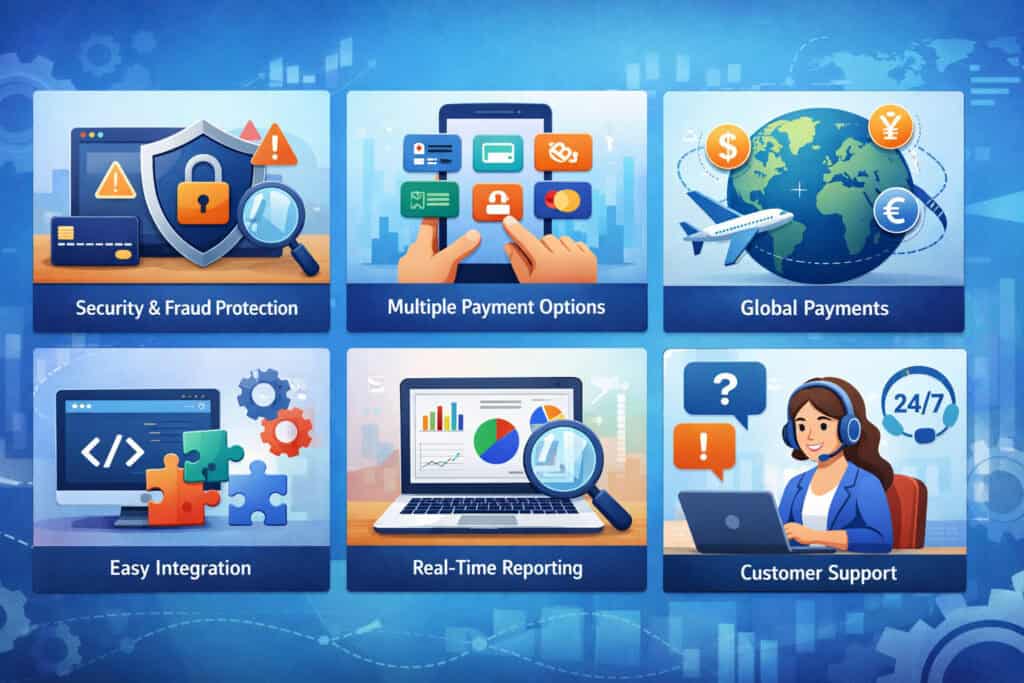
Not all payment systems are built the same. Some are designed for very simple transactions, while others act as an operational hub for sales, reporting, inventory, invoicing, and customer management.
The right feature set depends on your business size, industry, sales channels, and daily workflow. When evaluating payment processing for Erie businesses, the smartest question is not “Which provider has the most features?” It is “Which features will actually make this business run better?”
A good solution should support today’s needs without boxing you in tomorrow. It should also help reduce manual tasks, improve checkout speed, and give you visibility into revenue. That is especially important for a new business, where every system choice affects staff time, customer experience, and growth planning.
Flexible Payment Acceptance Across Channels
Most businesses benefit from accepting payments in more than one way, even if one channel is dominant. A store may also want invoice payments for special orders. A service business may need mobile card acceptance and online invoice links.
A restaurant may need in-person terminals and online order payment options. A strong system should support these channels without forcing you to juggle disconnected tools.
Look for support for:
- In-store chip and contactless payments
- Mobile wallet acceptance
- Online checkout or payment links
- Invoice payments
- Phone payments through a virtual terminal
- Recurring billing where relevant
- Mobile payments for field teams or events
This flexibility matters because customer habits are not limited to one channel. Businesses that offer multiple payment options often operate more smoothly and collect revenue faster because customers can pay in the way that feels most convenient.
Reporting, Integrations, and Day-to-Day Usability
Payment systems should help you understand the business, not just move money. Clear reporting lets you review sales by day, device, employee, location, product line, or payment type depending on your setup. This is useful for spotting trends, reconciling deposits, measuring busy hours, and making staffing or purchasing decisions.
Integrations are another major factor. A payment solution that connects with your accounting software, eCommerce platform, appointment scheduler, or customer database can save time and reduce errors.
Manual work often becomes more expensive than owners expect. What looks like a low-cost processor can turn costly if your team spends hours each week entering data in multiple places.
Usability matters too. Staff should be able to learn the system quickly. The dashboard should be easy to navigate. Sending invoices, issuing refunds, checking batch totals, and pulling reports should not feel like complicated technical tasks. Payment system setup for small businesses works best when it supports the people using it every day.
Security, Funding Speed, and Customer Support
Security is not optional. Your provider should offer secure transaction handling, tools for PCI-related responsibilities, and protections that reduce risk.
This may include encrypted transactions, tokenization, user access controls, and fraud filters for online payments. Ask what responsibilities belong to your provider and what actions your business needs to complete.
Funding speed is another practical issue. Some businesses can wait a little longer for deposits, while others depend on fast access to revenue for payroll, supplies, or vendor payments. Ask how long deposits usually take, whether timing differs by transaction type, and how weekends or holidays affect funding.
Support often gets overlooked during the sales process, but it matters once you are operating. Problems rarely happen at convenient times.
Reliable support can make the difference between a quick resolution and lost revenue during a busy period. Ask how support is offered, when it is available, and whether onboarding includes setup help for hardware, software, and integrations.
Costs and Contract Terms New Business Owners Should Understand
Payment processing costs are rarely as simple as one advertised rate. New owners often focus on the percentage they see in marketing materials and overlook the other charges that affect total cost.
A better approach is to understand how pricing works overall and compare providers based on your real transaction mix, business model, and support needs.
Costs may vary by card type, how the payment is accepted, your sales volume, your hardware choices, and any extra tools you need. In-person payments may be priced differently from online or keyed-in transactions.
Some systems bundle more features into a monthly fee, while others keep monthly costs low but charge more for add-ons.
For Erie PA credit card processing, cost evaluation should go beyond a simple rate comparison. The right question is what the complete setup will cost over time and whether that cost makes sense for the value the system provides.
Common Fees You May Encounter
Most providers charge transaction-related fees, but those are only part of the picture. Depending on the setup, you may also see monthly account fees, software fees, hardware costs, gateway fees, PCI-related fees, chargeback fees, statement fees, or fees for optional services such as advanced reporting or recurring billing.
Common cost categories include:
- Per-transaction processing fees
- Monthly service or software fees
- Equipment purchase or lease costs
- Payment gateway fees for online transactions
- PCI-related program or compliance fees
- Chargeback or retrieval fees
- Batch, statement, or account maintenance fees in some cases
The mix of fees matters. A business with low monthly volume may prefer a simple plan with minimal fixed costs. A higher-volume business may benefit from more transparent pricing even if the setup requires more review upfront. Always ask for a full fee schedule and have the provider explain each charge clearly.
Pricing Models and What They Mean in Practice
Several pricing models are common in the payment industry. Some providers use flat-rate pricing, which is easy to understand because similar types of transactions are charged at the same rate. This can be attractive for newer businesses because it is simple and predictable, especially if volume is modest.
Others use interchange-plus pricing or similar cost-plus structures, where the underlying card costs are passed through and the provider adds its markup.
This model can offer more transparency, especially for businesses with enough volume to benefit from a closer look at actual card mix. Some providers may also use tiered pricing, which groups transactions into pricing categories that can be harder to compare.
None of these models is automatically best for every business. What matters is how the model fits your volume, average ticket, sales channels, and need for predictability. An owner who runs many small tickets in person may evaluate pricing differently than a firm that invoices large service retainers.
Contracts, Equipment Terms, and Hidden Friction Points
Some payment solutions are month-to-month and easy to change. Others involve service agreements, auto-renewal language, early termination terms, or hardware conditions that can make switching expensive later. Always read the contract carefully, especially around cancellation, pricing changes, and equipment.
Hardware deserves special attention. Some businesses buy terminals outright. Others lease equipment or receive devices that are only usable with that provider. Locked equipment can limit flexibility if your needs change. Software contracts may also contain user minimums, add-on charges, or long commitments tied to premium features.
Make sure you understand:
- Whether the service is month-to-month or contract-based
- Whether rates can change and how notice is provided
- Whether equipment is purchased, leased, or proprietary
- Whether online features or support carry separate costs
- Whether cancellation involves fees or written notice periods
A payment solution should help you operate more smoothly, not tie you into terms that become a burden once your business grows.
Common Setup Mistakes and How to Avoid Them
Many new business owners do not make payment setup mistakes because they are careless. They make them because payment systems involve a lot of moving parts, and providers often explain them in sales language rather than in operational terms.
The most common problems usually come from rushing the decision, focusing too heavily on rates, or underestimating how the system will be used in real life.
The good news is that most of these mistakes are avoidable. A little planning upfront can save you from workflow bottlenecks, staff confusion, customer frustration, and unnecessary costs later. If you are trying to set up payment processing in Erie PA, it helps to think like an operator, not just a buyer.
Choosing Based Only on Price
One of the biggest mistakes is selecting a provider mainly because the advertised rate looks low. Processing cost matters, but the cheapest-looking offer can still cost more overall if it lacks needed features, creates manual work, or comes with confusing fees.
A low rate will not help much if staff struggle with the system or if online sales require extra tools you have to pay for separately.
This mistake often shows up when owners compare providers without mapping their workflow first. For example, a low-cost countertop setup may seem attractive until the business realizes it also needs invoicing, recurring billing, or website checkout. Adding those later can increase cost and complexity.
A better approach is to compare total value. Look at rates, fixed fees, included tools, integrations, hardware fit, support quality, and long-term flexibility. That gives you a much clearer picture of real cost.
Ignoring Industry-Specific Needs
A general payment system may not work equally well across every industry. Retail stores, restaurants, healthcare offices, contractors, consultants, and online sellers all have different transaction patterns and workflow needs. Ignoring those differences can lead to a setup that technically works but feels frustrating every day.
A restaurant may need tip adjustment, kitchen order flow, and fast tableside payments. A healthcare office may need recurring payment plans and secure office workflows. A contractor may need estimates, invoices, and mobile collection on job sites.
Professional firms may need retainers, stored cards, and detailed receipts. Businesses should choose Erie business payment solutions that match how they actually deliver service and collect money.
This is why it is important to ask providers for examples of how their tools support businesses like yours. Industry fit is often more valuable than flashy general features.
Failing to Plan for Growth, Training, and Security
Some businesses outgrow their payment setup surprisingly quickly because they planned only for opening day. They chose a system for one checkout counter but later added online orders, mobile payments, or a second user role without realizing the system would become awkward or expensive to expand.
Training is another overlooked area. A powerful system is not useful if staff do not know how to use it. Problems at checkout often come from incomplete setup and weak training rather than from bad hardware. New owners should plan for onboarding, transaction testing, refund procedures, and staff permissions from the beginning.
Security mistakes can be especially costly. Writing down card numbers, sharing logins, skipping recommended PCI steps, or using weak passwords creates unnecessary risk. Secure setup should be part of the initial implementation, not something you deal with after a problem appears.
Best Practices for Building a Smooth Payment Workflow
A payment setup is only as good as the workflow behind it. Even strong tools can feel clumsy if the process is inconsistent, poorly trained, or disconnected from the way your team actually works. A smooth workflow helps customers pay quickly, helps staff stay efficient, and helps owners keep operations manageable as the business grows.
For new businesses in Erie, the best workflow is one that balances convenience, accuracy, and control. It should support the customer experience while also making life easier for your team. That means reducing manual entry, limiting avoidable delays, and choosing tools that fit your environment instead of adding complexity.
Match the Payment Process to the Customer Journey
Think about each point at which a customer may need to pay. The right process at the front counter may not be the right process for a phone order, service call, or appointment-based office. Map the payment moment to the actual customer journey rather than forcing every sale into the same pattern.
For example, a retail customer usually wants a fast checkout with tap, chip, or mobile wallet options. A contractor’s customer may prefer an emailed invoice after the job or a card payment collected on-site.
A healthcare office may need card-on-file functionality for balances and recurring plans. Online shoppers want a secure checkout that feels simple and trustworthy.
When the payment process fits customer expectations, transactions move faster and feel more professional. This also reduces confusion for staff because the process makes sense within the context of the sale.
Keep Back-Office Tasks Simple and Consistent
Owners often spend more time dealing with payment administration than they expect. Deposits need to be reconciled, refunds tracked, reports reviewed, and invoice statuses monitored. If the workflow is messy, these tasks can quietly consume hours each week.
To keep operations manageable:
- Use a system that centralizes reporting across channels where possible
- Set clear staff permissions for sales, refunds, and voids
- Standardize receipt and invoice practices
- Reconcile deposits on a routine schedule
- Integrate payments with accounting or scheduling systems when it makes sense
Consistency is the real advantage here. When your team handles payments the same way every time, you reduce errors and create cleaner records. This matters whether you are running a single storefront or managing office and field payments together.
Review Performance and Adjust the Setup Over Time
Your first payment setup does not need to be perfect, but it should be reviewable. Once the business is operating, pay attention to what is working and where friction appears. Maybe customers frequently ask for online invoice links.
Maybe your counter checkout is too slow during peak hours. Maybe staff avoid a certain feature because it is cumbersome. These are signs that your workflow may need adjustment.
Review your setup regularly by looking at deposit timing, payment method trends, refund patterns, reporting clarity, customer feedback, and staff input. Payment solutions should support growth, not become a hidden bottleneck.
Small changes such as adding a mobile reader, enabling a virtual terminal, improving invoice reminders, or integrating with another business tool can have a meaningful impact.
Payment Setup Considerations by Business Type
Different businesses need different payment tools, even within the same local market. One of the most practical ways to choose a payment system is to look at how businesses in your category typically accept payments. This helps you narrow down which features matter most and which tools may be unnecessary.
While each business is unique, a few patterns show up consistently across industries. Understanding them can help new owners make more confident decisions during Erie merchant account setup and related system planning.
Retail Stores and Restaurants
Retail stores usually need a fast and stable in-store environment. That often means a POS with inventory tracking, barcode support, receipt options, returns management, employee permissions, and clean reporting.
Stores may also want gift cards, email receipts, customer profiles, and optional online selling tools if they plan to expand beyond the physical location.
Restaurants often require more specialized POS functionality. Order flow, tipping, kitchen coordination, tableside payments, split checks, and speed during busy service periods all matter. A basic terminal may process payments, but it may not support the full workflow staff need during peak times.
For both business types, credit card processing setup for local businesses should focus on checkout speed, reliability, and customer convenience. Contactless payments and durable hardware matter because these environments handle repeated, fast-paced transactions.
Contractors, Service Businesses, and Professional Firms
Contractors and field service businesses often need mobility more than a fixed checkout station. Mobile readers, digital invoices, estimates, virtual terminals, and quick payment collection on-site can all make a major difference. These businesses benefit from reducing the gap between completing work and collecting payment.
Professional firms such as legal, consulting, accounting, and similar service providers may focus more on invoice-based payments, retainers, recurring billing, and office-based card acceptance. They may also value detailed receipts, customer records, and integration with bookkeeping or practice management tools.
For these businesses, online payment processing for Erie companies often blends with invoice collection and mobile flexibility. A smart setup keeps the payment process easy for clients while limiting manual follow-up for the business.
Healthcare Offices and Online Sellers
Healthcare offices often need secure workflows, recurring payment arrangements, office-based acceptance, and reliable reporting. They may take copays at the front desk, send statements later, or keep payment methods on file for agreed billing processes. Clear receipts and dependable support are often important in these settings.
Online sellers need a reliable gateway, secure checkout experience, fraud tools, and integration with their eCommerce platform or shopping cart. They may also need support for shipping workflows, subscriptions, digital invoices, or omnichannel sales if they also sell in person.
For both models, business payment tools for Erie startups should be selected with customer trust in mind. Online and office-based environments require clean, secure, easy-to-use payment flows that feel professional from the first interaction.
Frequently Asked Questions
Q.1: How long does it take to set up payment processing for a new business in Erie?
Answer: The timeline depends on your provider, business type, and how quickly you submit the required documents. Some simple setups can move quickly, especially if they are bundled with standard hardware and software. More customized or higher-review accounts may take longer because underwriting may request additional information.
To speed up the process, prepare your business formation details, banking information, ownership details, estimated processing volume, and any website or service information before applying. A clear and accurate application usually reduces delays.
Q.2: What documents are usually needed for Erie merchant account setup?
Answer: Many providers ask for core business information such as legal business name, tax details, business address, ownership information, and the bank account where deposits will be sent. Depending on the business model, they may also request identification, formation documents, website details, licenses, or a description of products and services.
New businesses without a long processing history should expect closer review of how they sell, when they deliver goods or services, and how refunds are handled. Keeping these documents organized helps with setup and future account changes.
Q.3: Do I need both a merchant account and a payment gateway?
Answer: Not always as separate products. Some providers bundle merchant account services, processing, and gateway tools into one package. Others treat them as separate components. If you sell online, you usually need gateway functionality in some form because it securely handles online payment transmission.
If you sell only in person, the gateway may be less visible in your setup, though some systems still include related tools. The important thing is to understand what your provider includes and whether online payments, invoices, or recurring billing are already supported.
Q.4: What is the best way to accept payments for a new local service business?
Answer: It depends on how the business operates. Many service businesses do well with a mix of mobile card acceptance, digital invoices, and a virtual terminal for office-based or phone payments. This combination gives flexibility without requiring a full retail-style POS.
If your team works in the field, mobile readers and invoice tools often matter more than countertop hardware. If you take deposits or bill after service, invoicing and recurring payment tools may be especially useful.
Q.5: How should I compare payment processing costs?
Answer: Look at total cost, not just the advertised transaction rate. Compare processing fees, monthly costs, hardware expenses, gateway charges, chargeback fees, PCI-related fees, and the cost of any add-on tools you need. Also consider whether the system reduces manual work or improves collection speed.
A slightly higher monthly cost can still be the better choice if the system fits your workflow, integrates with your software, and saves time for your team. Ask for a full fee breakdown based on your expected volume and sales channels.
Q.6: Can I use the same payment system for in-store and online sales?
Answer: In many cases, yes. Many providers support both in-person and online payments through one platform or dashboard. This can simplify reporting and provide a more consistent customer experience. However, not every provider handles both channels equally well.
If you plan to sell both ways, make sure the provider supports your website platform, payment gateway needs, and any hardware requirements for in-person acceptance. A connected system is usually easier to manage than separate tools.
Q.7: What should new business owners ask before signing a payment agreement?
Answer: Ask about pricing structure, contract length, hardware ownership, cancellation terms, funding timelines, support availability, security responsibilities, and software integration options. You should also ask how the setup handles your specific payment channels, such as mobile payments, invoicing, online checkout, or recurring billing.
The more clearly a provider can explain how the system fits your business, the easier it is to make a confident decision. Good questions upfront often prevent costly surprises later.
Conclusion
A reliable payment system is one of the most important foundations for a new business. It affects customer convenience, staff efficiency, cash flow, reporting, and your ability to grow without unnecessary friction.
The best setup is not simply the one with the lowest advertised rate or the most features. It is the one that fits how your business actually accepts payments and supports the way you want to operate.
For new owners working through a payment processing setup guide for new Erie business owners, the smartest approach is to start with your workflow. Define where and how customers will pay.
Understand the roles of merchant accounts, processors, gateways, POS tools, card readers, invoicing systems, and virtual terminals. Compare providers based on total value, not only price. Pay attention to contracts, support, integrations, security, and funding speed.
Whether you need a simple storefront checkout, mobile payment tools for field service, invoice-based billing, or a connected online and in-person solution, a thoughtful setup can help your business feel more polished from day one.
When your payment process is easy for customers and manageable for your team, you create a stronger foundation for steady operations and long-term growth across Erie and the surrounding business community.